
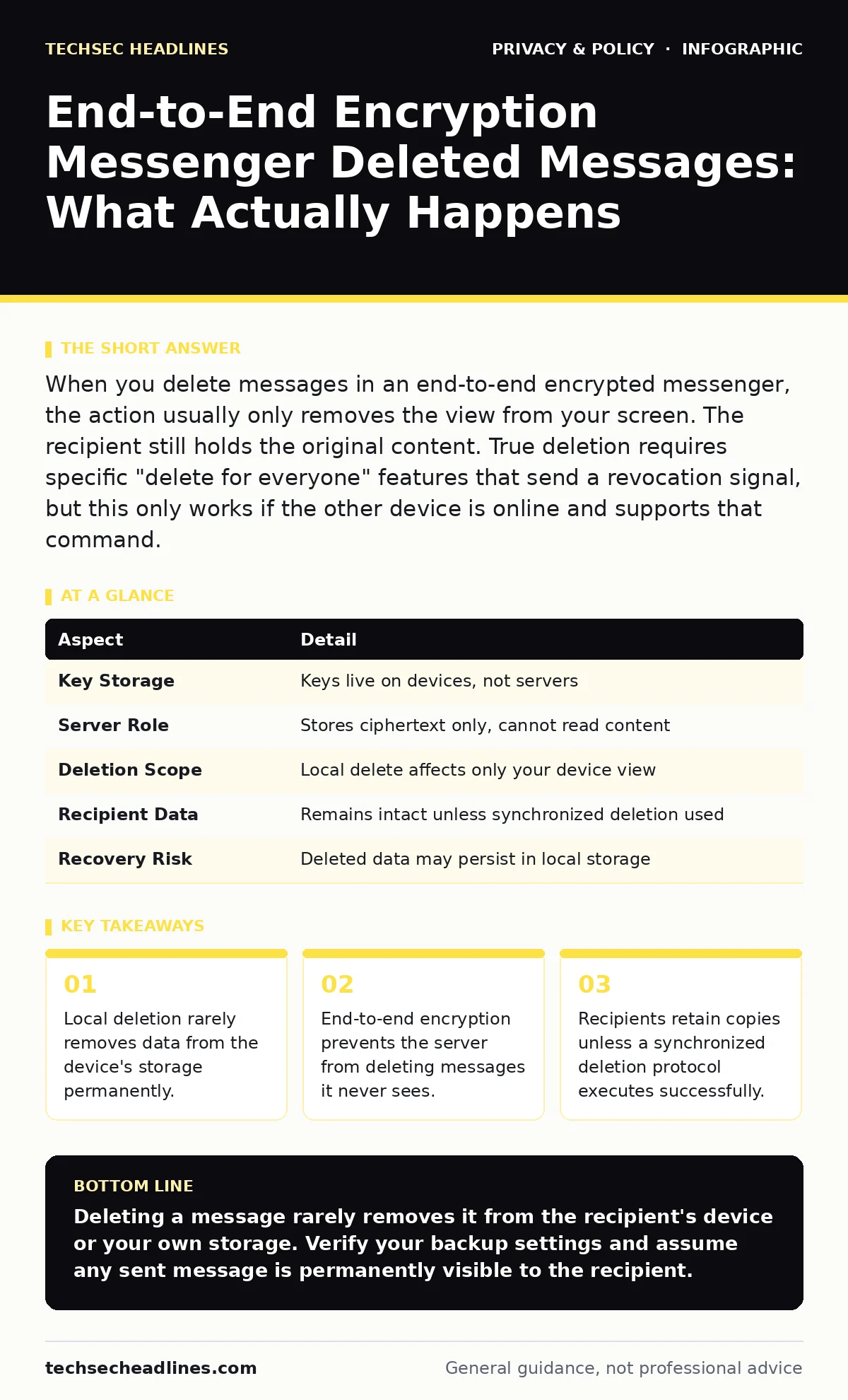
When you delete messages in an end-to-end encrypted messenger, the action usually only removes the view from your screen. The recipient still holds the original content. True deletion requires specific "delete for everyone" features that send a revocation signal, but this only works if the other device is online and supports that command.
How End-to-End Encryption Messenger Deleted Messages Works
End-to-end encryption ensures that only the sender and the receiver can read the content of a message. The service provider cannot access the data because the encryption keys reside solely on user devices. When you type "end-to-end encryption messenger deleted messages" into a search engine, you likely want to know if deleting a chat removes it from the provider's servers. It does not, because the provider never had the plaintext data to begin with. The message travels as ciphertext, unreadable garbage to anyone without the key.
The server acts merely as a pipe, storing or forwarding the encrypted blob until the recipient downloads it. Once the recipient’s device decrypts the message, the server’s job is effectively done. The server may keep the ciphertext for redundancy or routing, but it cannot delete the semantic content because it does not understand it. You are dealing with a system where the middleman is blind. This blindness is the feature that protects your privacy. It is also the reason why server-side deletion requests are largely irrelevant for content privacy. The real risk lies in the endpoints, not the transport layer.
| Aspect | Detail |
|---|---|
| Key Storage | Keys live on devices, not servers |
| Server Role | Stores ciphertext only, cannot read content |
| Deletion Scope | Local delete affects only your device view |
| Recipient Data | Remains intact unless synchronized deletion used |
| Recovery Risk | Deleted data may persist in local storage |
The Illusion of Local Deletion
Imagine you send a sensitive document via an encrypted messenger. You read the confirmation and immediately hit delete on your phone. You feel secure, assuming the document is gone from the digital world. This feeling is incorrect. The delete action typically removes the reference to the message from your interface. The actual data often remains in your device’s storage, overwritten only when new data writes to those specific memory sectors. This is known as residual data.
Forensic tools can often recover files that were deleted from local storage if they have not been overwritten. End-to-end encryption does not help you here because the data was already decrypted on your device. The protection ended when the message arrived. You are now responsible for the security of your own hardware. If your phone is stolen, the thief can access your local storage. The encryption that protected the message in transit is useless against physical access to your unlocked device. Local deletion is a visual convenience, not a security measure.
Synchronized Deletion and Its Limits
Some messengers offer a "delete for everyone" feature. This function sends a new encrypted command to the server. The server forwards this command to the recipient’s device. If the recipient is online and using the same service version, their device deletes the message. This creates the appearance of universal deletion. However, this mechanism has significant edge cases. If the recipient is offline, the deletion command waits. If they read the message before the command arrives, the content remains in their notification history or memory.
If they use a different client that does not support this protocol, the command fails. You cannot force a deletion on a device you do not control. The recipient could have taken a screenshot. They could have forwarded the content to another platform. They could have simply memorized it. Synchronized deletion manages the database entry, not human behavior. It reduces the digital footprint but eliminates zero trust risks. You must assume the recipient has seen the content.
Who Affected by Message Deletion Policies
The policy of how messages are deleted affects three main groups. First, the sender bears the burden of managing their local data. They must understand that privacy requires device security, not just app features. Second, the recipient holds the power. They decide whether to keep, forward, or delete the message. Their device security determines the long-term survival of your data. Third, the service provider remains isolated from the content.
They cannot comply with data deletion requests for message content because they lack the decryption keys. This isolation protects users from mass surveillance but limits legal recourse. If you need to prove a message existed, you cannot ask the provider for it. You must rely on local backups or screenshots. This dynamic shifts legal and evidentiary weight to the users. It forces individuals to act as their own archivists. The provider’s inability to delete content they cannot read is a feature, not a bug.
What People Usually Get Wrong About Privacy
Many users confuse encryption with anonymity. Encryption protects the content from eavesdroppers. It does not hide the fact that you communicated. Metadata, which includes timestamps, contact lists and frequency of communication, often remains visible to the provider. Deleting a message does not delete the metadata. The record that you sent a message at a specific time persists. This metadata can reveal sensitive patterns about your life.
Another common error is trusting cloud backups. Many encrypted messengers allow you to back up chats to cloud storage. These backups are often not end-to-end encrypted. They are protected by your cloud provider’s account security. If your cloud account is compromised, your "deleted" messages may be recovered from the backup. You must disable cloud backups if you want true deletion. Privacy requires consistent settings across all layers of your digital life.
See also: What Is TLS Handshake: How It Secures Your Connection · What Is Encryption: Meaning, Definition, and How It Works
How To Securely Handle Sensitive Messages
To manage sensitive information, you must control your endpoints. Use apps that support disappearing messages, which automatically remove content after a set time. This reduces the window of exposure. Ensure your device has a strong lock screen and full-disk encryption. This prevents physical access to residual data. Disable cloud backups for your messenger apps. This stops accidental preservation of deleted content. Use features that prevent screenshots or forwarding if available, though these are easy to bypass.
Consider using ephemeral communication channels that do not store history at all. For high-risk communications, assume any digital trace can be recovered. The most secure message is the one never sent. Use alternative channels like voice calls or in-person meetings for extremely sensitive topics. Digital tools introduce risks that physical interactions avoid. Balance convenience with the actual risk of exposure. Do not rely on deletion as a primary security control.
Beyond Messaging: Broader Privacy Contexts
Understanding message deletion helps you navigate other privacy tools. For instance, email aliases work by creating a barrier between your real address and the sender. They reduce tracking but do not encrypt content. Similarly, DNS over HTTPS encrypts your domain lookups, hiding them from your internet provider. It protects the path, not the destination content. Biometric data, like fingerprints, is stored locally on most modern devices, similar to encryption keys. This local storage model prevents centralized theft. Children's privacy laws often require providers to minimize data retention. This legal pressure drives the development of auto-deletion features.
Differential privacy adds noise to datasets, making individual identification difficult. It is a statistical approach, unlike the cryptographic approach of messengers. Ad tracking relies on persistent identifiers. Deleting messages does not stop tracking if your device ID remains constant. You must address tracking separately from content encryption. Facial recognition risks arise from the aggregation of biometric data. Centralized databases are high-value targets. Local processing reduces this risk. Data subject access requests allow you to see what a company holds. Use them to audit your data footprint. Regular audits reveal hidden retention policies.
Key takeaways
- Local deletion rarely removes data from the device's storage permanently.
- End-to-end encryption prevents the server from deleting messages it never sees.
- Recipients retain copies unless a synchronized deletion protocol executes successfully.
Deleting a message rarely removes it from the recipient's device or your own storage. Verify your backup settings and assume any sent message is permanently visible to the recipient.
Frequently asked questions
Does deleting a message remove it from the server?
The server stores only encrypted data it cannot read. Deletion requests usually affect local device views, not server-side content, which remains as unreadable ciphertext.
Can the recipient see deleted messages?
Yes, unless they use a synchronized deletion feature and are online when the command arrives. Otherwise, their copy remains intact and accessible.
Is end-to-end encryption enough for privacy?
No, it protects content in transit. You must also secure your devices, manage backups and understand metadata exposure to achieve full privacy.
Do disappearing messages guarantee deletion?
They reduce retention time but do not prevent screenshots, forwarding or manual saving by the recipient before the timer expires.
How this guide was produced: written by the TechSec Headlines editorial team with AI assistance, checked against the public references listed below, and reviewed when the facts change. See our editorial policy or report an error.