
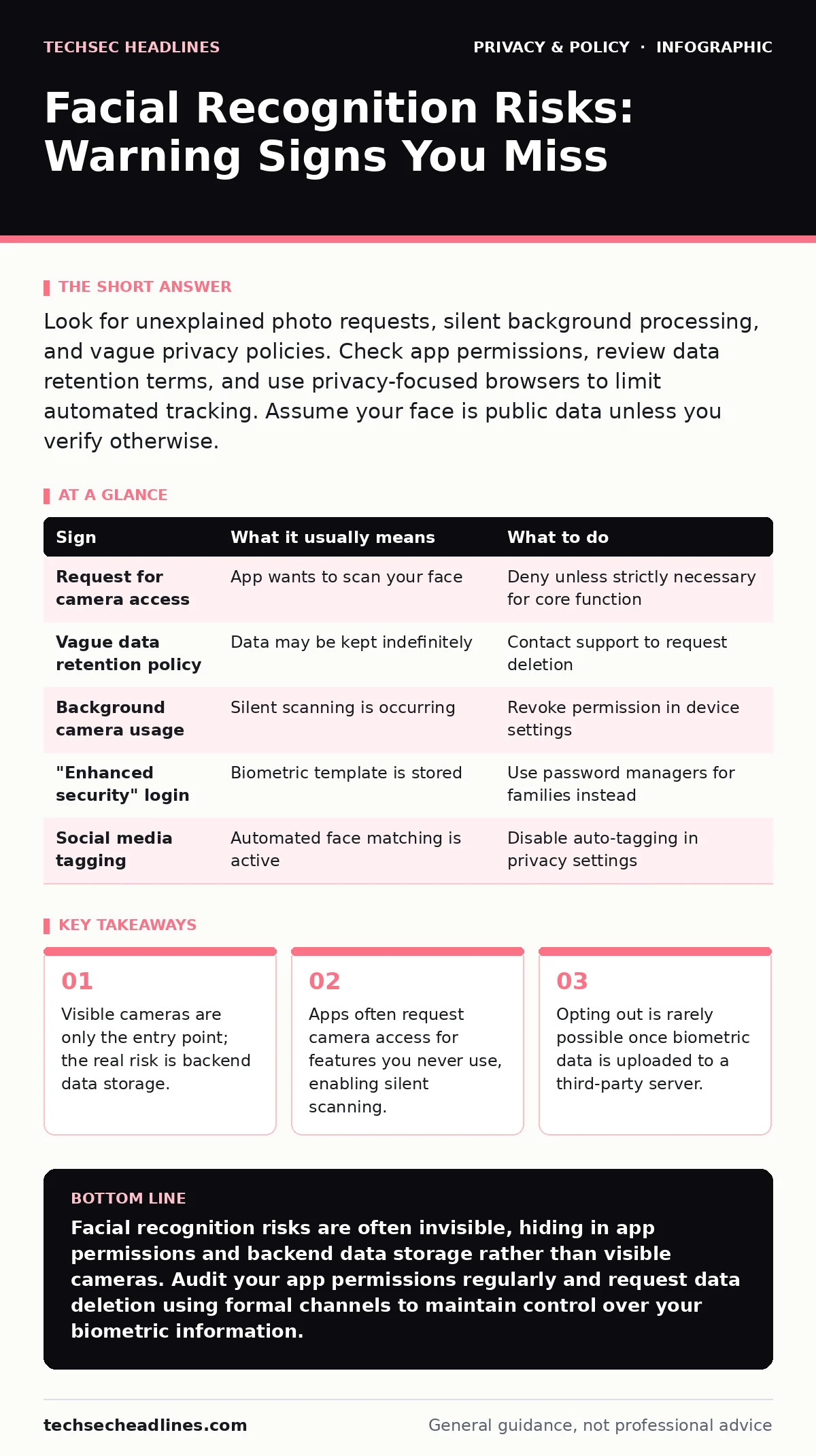
Look for unexplained photo requests, silent background processing, and vague privacy policies. Check app permissions, review data retention terms, and use privacy-focused browsers to limit automated tracking. Assume your face is public data unless you verify otherwise.
The Visible Camera Trap
You notice the camera first. It sits on a kiosk, a smartphone, or a security post. This visibility creates a false sense of control. You assume that because you can see the lens, you can choose whether to engage. This assumption is incorrect. The camera captures only the initial signal. The processing happens elsewhere, often on remote servers you cannot see or touch.
The device may not even be active when you look at it. Many systems use motion sensors to wake the lens only when a face is detected. By the time the light indicates activity, the capture has already occurred. You are reacting to a signal that has already been processed. This delay means your physical avoidance strategies are often too late.
Hidden App Permissions
Mobile applications are the most common vector for unauthorized facial data collection. An app might request camera access to scan a document or filter a photo. This permission often grants the software access to the camera feed at any time, not just during the specific feature use. You might grant this permission once and forget about it. The app can then run facial recognition algorithms in the background.
This background processing allows the app to build a profile of where you go and who you meet. It does not need to show you a camera interface to do this. The permission is the key, not the camera icon. Check your device settings regularly to see which apps have persistent camera access. Revoke access for any app that does not strictly need it for its core function.
Silent Biometric Processing
The most dangerous sign is the absence of a sign. Facial recognition does not require a visible prompt every time it runs. Once your face is captured and converted into a numerical template, the original image may be deleted. You might believe your photo is safe because it is gone. This is a misunderstanding of how the system works.
The numerical template remains. This template is unique to you and can be used to identify you in future images. It is stored in a database that may be shared with partners or advertisers. You cannot see this data. You cannot delete it easily. The processing is silent because it happens after the initial capture. The risk is not the photo; it is the mathematical representation of your face.
Vague Privacy Policies
Read the fine print of privacy policies carefully. Look for terms like "biometric data," "facial geometry," or "automated decision making." These phrases indicate that the service processes your face for identification or analysis. If the policy is vague about how long this data is kept, assume it is kept forever.
Many policies state that data is used for "security" or "personalization." These are broad terms that allow the company to use your biometric data for marketing or profiling. They do not need to ask for additional permission if the initial agreement was broad. A clear policy will specify exactly what is collected, where it is stored, and who can access it. If these details are missing, the risk is high.
Third-Party Data Sharing
Your face is not just data for the company you interact with. It is often shared with third-party analytics firms. These firms aggregate data from multiple sources to build comprehensive profiles. You might sign up for one service, but your facial data ends up in a database used by dozens of others.
This sharing happens through standard data exchange protocols. You rarely see a notification when this occurs. The initial service provider may claim they do not sell your data. They may only "share" it with partners for "service improvement." This distinction is legal, not technical. The result is the same: your biometric data is no longer under your control.
See also: What Is a Key in Encryption: Bring Your Own Key Strategy · What Is Encryption: Meaning, Definition, and How It Works
Signs to Watch For
Use this table to identify common risks and immediate actions.
| Sign | What it usually means | What to do |
|---|---|---|
| Request for camera access | App wants to scan your face | Deny unless strictly necessary for core function |
| Vague data retention policy | Data may be kept indefinitely | Contact support to request deletion |
| Background camera usage | Silent scanning is occurring | Revoke permission in device settings |
| "Enhanced security" login | Biometric template is stored | Use password managers for families instead |
| Social media tagging | Automated face matching is active | Disable auto-tagging in privacy settings |
Immediate Response Steps
When you notice a sign of risk, act quickly. First, revoke the specific permission on your device. This stops the immediate flow of data. Second, check the app’s privacy settings for an opt-out mechanism. Many apps hide these settings deep in their menus. Look for sections labeled "Data," "Privacy," or "Biometrics."
If you cannot find an opt-out, contact the company. Use data subject access requests to ask for a copy of the data they hold on you. This forces them to document what they have. It also gives you proof if you need to escalate the issue. Do not rely on their promise to delete it. Verify the deletion by requesting the data again after a few weeks.
Long-Term Mitigation
You cannot control how others use your face once it is public. Photos on social media are scraped by automated systems constantly. The only way to reduce this risk is to limit exposure. Use privacy-focused browsers to block tracking scripts that may include facial recognition capabilities.
Avoid uploading high-resolution photos of your face to public platforms. Use email aliases when signing up for new services to reduce the amount of personal data linked to your identity. These steps do not stop all collection, but they reduce the surface area for attack. Consistency is key. One upload can persist in databases for years.
Key takeaways
- Visible cameras are only the entry point; the real risk is backend data storage.
- Apps often request camera access for features you never use, enabling silent scanning.
- Opting out is rarely possible once biometric data is uploaded to a third-party server.
Facial recognition risks are often invisible, hiding in app permissions and backend data storage rather than visible cameras. Audit your app permissions regularly and request data deletion using formal channels to maintain control over your biometric information.
Frequently asked questions
Does covering my face stop facial recognition?
Covering your face prevents new captures, but it does not remove data already stored in databases. It also limits your ability to use legitimate security features.
Can I opt out of facial recognition on social media?
Most platforms allow you to disable facial recognition for tagging, but this does not stop them from using your data for other purposes like content moderation.
Is facial recognition more accurate than passwords?
Facial recognition is convenient but can be spoofed with high-resolution photos or masks. Passwords, when managed correctly, offer more control over access.
How do I know if my face is in a database?
You usually cannot know for sure. You must submit data subject access requests to companies you suspect hold your data to verify their holdings.
How this guide was produced: written by the TechSec Headlines editorial team with AI assistance, checked against the public references listed below, and reviewed when the facts change. See our editorial policy or report an error.