
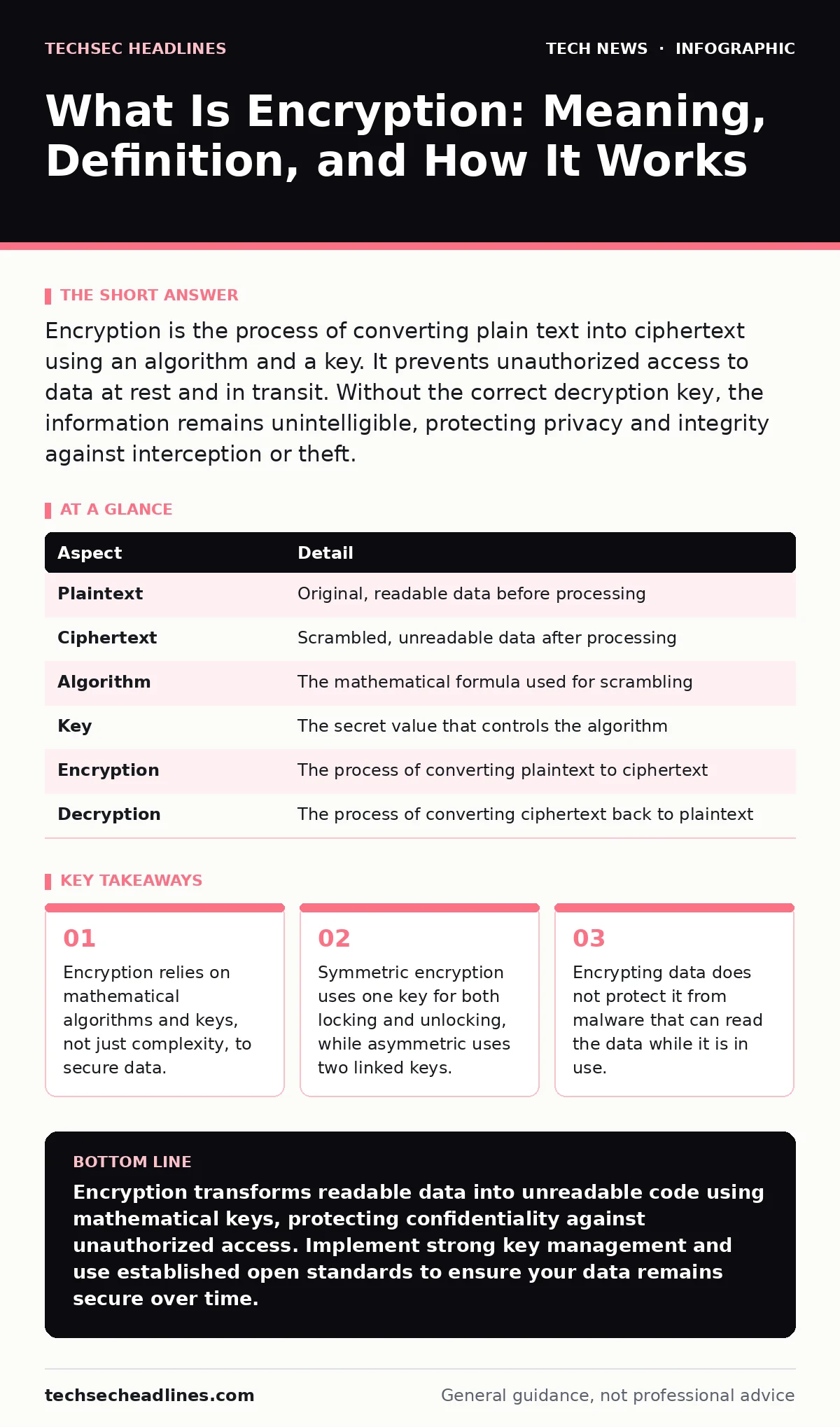
Encryption is the process of converting plain text into ciphertext using an algorithm and a key. It prevents unauthorized access to data at rest and in transit. Without the correct decryption key, the information remains unintelligible, protecting privacy and integrity against interception or theft.
The Locked Box Analogy
Imagine you send a letter containing a secret recipe. You place the recipe inside a steel box and lock it with a heavy padlock. You mail the box to your friend. Anyone handling the mail can see the box, shake it, or even try to pry it open, but they cannot read the recipe inside. Your friend has the only key that fits the padlock. They unlock the box, read the recipe, and lock it again if they need to send it back.
In digital terms, the recipe is your plaintext. This is data in a readable format, such as a text file, an email, or a database entry. The steel box and padlock represent the encryption algorithm and the key. The locked box is ciphertext. This is the scrambled, unreadable version of the data. The key is a string of bits that tells the algorithm how to scramble or unscramble the data. Without the key, the ciphertext looks like random noise.
At a Glance
| Aspect | Detail |
|---|---|
| Plaintext | Original, readable data before processing |
| Ciphertext | Scrambled, unreadable data after processing |
| Algorithm | The mathematical formula used for scrambling |
| Key | The secret value that controls the algorithm |
| Encryption | The process of converting plaintext to ciphertext |
| Decryption | The process of converting ciphertext back to plaintext |
How Encryption Works in Practice
Encryption is not a single tool but a family of techniques. The two main categories are symmetric and asymmetric encryption. Symmetric encryption uses the same key for both encryption and decryption. It is fast and efficient, making it suitable for large amounts of data, such as encrypting a hard drive or a database. However, sharing the key securely is difficult. If you and your friend both need the same key, you must exchange it through a secure channel first.
Asymmetric encryption, also known as public-key cryptography, solves the key exchange problem. It uses two mathematically linked keys: a public key and a private key. You can share your public key with anyone. When someone sends you encrypted data using your public key, only your private key can decrypt it. This method is slower than symmetric encryption, so it is often used to securely exchange a symmetric key, which then handles the bulk of the data transfer.
This combination is the foundation of HTTPS. When you visit a secure website, your browser and the server perform a handshake. They use asymmetric encryption to agree on a symmetric session key. Once established, they switch to symmetric encryption for the rest of the session. This balances security and speed. Understanding this flow helps explain why Domain Name System lookups, which often lack encryption, can be vulnerable to manipulation before the secure connection even starts.
Common Misconceptions About Encryption
People often assume that encryption makes data invisible. This is incorrect. Encryption makes data unintelligible. An attacker can still see that data exists, how large it is, and when it was transferred. This metadata can reveal sensitive information. For instance, the size of an encrypted message might indicate whether it contains a short denial or a long confession.
Another common error is believing that encryption protects against all threats. Encryption protects confidentiality and integrity. It does not protect against availability attacks, such as ransomware that encrypts your files and demands payment. In that case, encryption is the weapon, not the shield. It also does not protect against insider threats. If an attacker has legitimate access to the decrypted data, encryption cannot stop them.
Many users also confuse hashing with encryption. SHA-256 is a hashing algorithm, not an encryption algorithm. Hashing converts data into a fixed-size string of characters that cannot be reversed. Encryption converts data into ciphertext that can be reversed with a key. You use hashing to verify that data has not changed, such as checking the integrity of a downloaded software installer. You use encryption to keep the content of the data secret.
The Hidden Costs of Security
Encryption adds computational overhead. Every device that encrypts or decrypts data must perform complex mathematical operations. This consumes processing power and battery life. On older devices, this can lead to noticeable lag. This is why managing end-of-life hardware is critical. Older processors may not support modern instruction sets that accelerate encryption, making them slow and less secure.
There is also a management cost. Keys must be generated, stored, rotated, and destroyed. If you lose a key, the data encrypted with it is gone forever. This is called cryptographic erasure, and it is a feature, not a bug, in many security models. However, it means backup strategies must include key backups. If you back up the encrypted data but not the key, you have created a digital tombstone.
See also: End-to-End Encryption Messenger Deleted Messages: What Actually Happens · What Is TLS Handshake: How It Secures Your Connection
Everyday Encryption Scenarios
You encounter encryption in daily digital interactions, often without realizing it. When you send a message over a secure messaging app, the content is encrypted end-to-end. This means only you and the recipient can read it. The service provider cannot access the messages. This is different from standard email, which is often encrypted in transit but stored in plaintext on the server.
File encryption protects data at rest. When you encrypt your laptop drive, the data is scrambled on the disk. If you lose the laptop, the thief cannot access the files without the password. This is particularly important for devices that store sensitive work or personal information. It also applies to external drives. If you carry a USB drive with sensitive files, ensure it is encrypted. USB security is not just about physical theft; it is about protecting the data if the drive is lost or stolen.
Network encryption protects data in transit. Wi-Fi security protocols like WPA3 encrypt the traffic between your device and the router. This prevents neighbors or attackers on the same network from sniffing your data. Similarly, 5G security standards include encryption for data transmitted over cellular networks. Home router security configurations often determine whether this encryption is enabled and how strong it is. Misconfiguring these settings can leave your local traffic exposed.
What People Usually Get Wrong
A frequent mistake is relying on weak keys. The strength of encryption depends on the key length and randomness. A short or predictable key can be guessed or brute-forced. Modern standards recommend keys of 256 bits or more for symmetric encryption. Using a simple password as a key without a proper key derivation function is dangerous. Passwords are low-entropy and easy to guess. Key derivation functions stretch a password into a strong cryptographic key.
Another error is assuming that proprietary encryption is better. Open standards are preferred because they have been reviewed by thousands of experts. Proprietary algorithms may have hidden weaknesses that only the vendor knows. Trusting security to secrecy, known as security through obscurity, is a flawed strategy. Once the algorithm is leaked, the security collapses. Open algorithms rely on the secrecy of the key, not the secrecy of the method.
Key takeaways
- Encryption relies on mathematical algorithms and keys, not just complexity, to secure data.
- Symmetric encryption uses one key for both locking and unlocking, while asymmetric uses two linked keys.
- Encrypting data does not protect it from malware that can read the data while it is in use.
Encryption transforms readable data into unreadable code using mathematical keys, protecting confidentiality against unauthorized access. Implement strong key management and use established open standards to ensure your data remains secure over time.
Frequently asked questions
Does encryption slow down my computer?
Yes, encryption requires processing power, which can impact performance on older or low-power devices. Modern hardware includes instructions to accelerate this process, minimizing the delay.
Can encrypted data be recovered if I lose the key?
No, losing the key usually means the data is permanently inaccessible. This is why backing up keys securely is a critical part of any encryption strategy.
Is encryption the same as password protection?
No, passwords are often used to derive encryption keys, but they are not the same. Passwords are human-memorable strings, while encryption keys are random bit sequences used by algorithms.
Does encryption protect against viruses?
Encryption protects data confidentiality, not execution. It does not prevent malware from running or corrupting files. You still need antivirus software and safe browsing habits.
How this guide was produced: written by the TechSec Headlines editorial team with AI assistance, checked against the public references listed below, and reviewed when the facts change. See our editorial policy or report an error.