
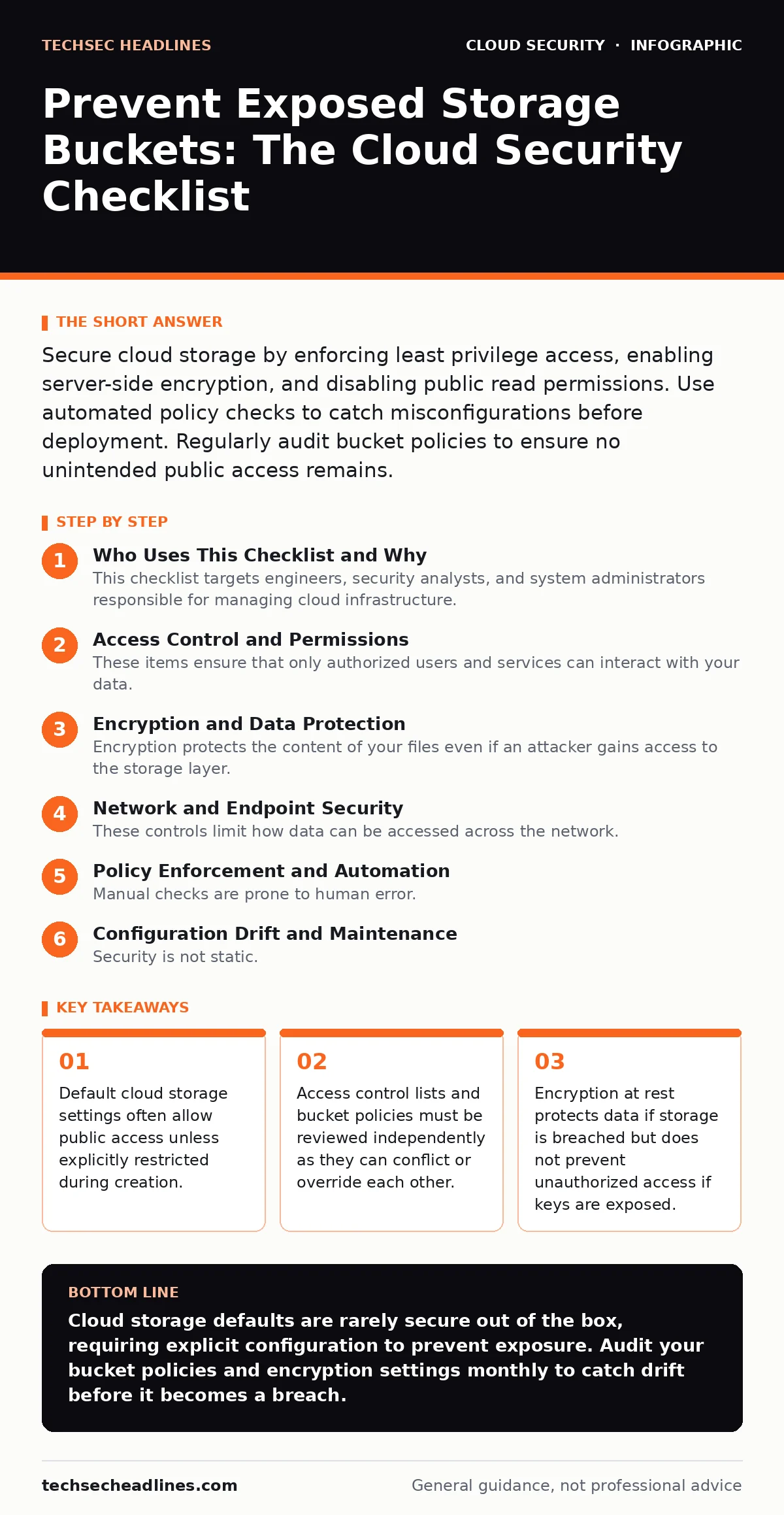
Secure cloud storage by enforcing least privilege access, enabling server-side encryption, and disabling public read permissions. Use automated policy checks to catch misconfigurations before deployment. Regularly audit bucket policies to ensure no unintended public access remains.
Who Uses This Checklist and Why
This checklist targets engineers, security analysts, and system administrators responsible for managing cloud infrastructure. You use it to verify that object storage containers remain private and secure against accidental exposure. The items are grouped by function to help you audit your environment systematically. Do not treat this as a one-time task. Cloud configurations drift over time as teams add features or change permissions. Regular verification prevents small mistakes from becoming major data leaks.
Access Control and Permissions
These items ensure that only authorized users and services can interact with your data. Misconfigurations here are the most common cause of exposure.
- Disable public read and write permissions: Public access allows anyone on the internet to view or modify your data without authentication.
- Apply least privilege IAM roles: Users and services should only have the minimum permissions required to perform their specific tasks.
- Remove anonymous access blocks: Anonymous access permits interactions without identity verification, bypassing most security controls.
- Audit cross-account permissions: External accounts should only access data if explicitly required, reducing the attack surface from partner breaches.
- Restrict IP-based access where possible: Limiting access to known IP ranges adds a layer of defense against attacks from unknown locations.
Encryption and Data Protection
Encryption protects the content of your files even if an attacker gains access to the storage layer. It does not prevent the access itself, but it renders the data useless without the decryption keys.
- Enable server-side encryption at rest: Data is encrypted automatically before being written to disk, protecting it from physical theft or unauthorized disk access.
- Manage encryption keys separately: Using customer-managed keys gives you control over key rotation and revocation, unlike provider-managed keys which are harder to audit.
- Enforce encryption in transit: Requiring TLS for all requests ensures data remains encrypted while moving between the client and the storage service.
- Verify key access policies: The keys used to encrypt data must have strict access controls, otherwise an attacker with storage access can also decrypt it.
- Use envelope encryption for large datasets: Encrypting data with a data key and then encrypting that key with a master key improves performance and key management.
Network and Endpoint Security
These controls limit how data can be accessed across the network. They complement access controls by restricting the paths through which requests can travel.
- Disable public endpoint access: Blocking public endpoints forces all traffic through private channels like VPC endpoints, hiding the service from the open internet.
- Configure VPC endpoints for private access: Virtual Private Cloud endpoints allow secure communication between your network and storage without traversing the public internet.
- Implement private linking for cross-region access: Private links reduce latency and exposure by keeping traffic within the provider’s backbone network.
- Restrict DNS resolution for storage services: Preventing DNS leaks ensures that internal service names are not resolvable from external networks.
- Monitor for unauthorized network connections: Alerting on unexpected connections helps detect lateral movement or data exfiltration attempts early.
Policy Enforcement and Automation
Manual checks are prone to human error. Automation ensures that security standards are applied consistently across all resources and environments.
- Enable logging for all storage activities: Detailed logs provide a record of who accessed what and when, essential for forensic analysis and compliance.
- Set up alerts for permission changes: Immediate notification of policy modifications helps you respond quickly to potential misconfigurations or malicious changes.
- Use infrastructure as code templates: Defining storage resources in code ensures that security settings are applied consistently and version-controlled.
- Implement pre-commit hooks for policy checks: Catching misconfigurations before they are deployed prevents insecure resources from ever reaching production.
- Schedule regular compliance scans: Automated tools can continuously check your environment against security baselines, identifying drift over time.
See also: End-to-End Encryption Messenger Deleted Messages: What Actually Happens · What Is TLS Handshake: How It Secures Your Connection
Configuration Drift and Maintenance
Security is not static. As your environment grows, configurations can drift away from secure defaults. Regular maintenance is required to maintain a strong security posture.
- Review and update bucket policies quarterly: Permissions often expand over time as new teams request access, increasing the risk of over-permissioning.
- Clean up unused storage resources: Old or abandoned buckets may lack current security controls and become easy targets for attackers.
- Validate third-party integrations: External tools often require broad permissions; regularly review these to ensure they still meet business needs.
- Test incident response procedures: Knowing how to quickly revoke access and rotate keys is critical when an exposure is detected.
- Document security baselines for storage: Clear documentation helps new team members understand expected configurations and reduces accidental misconfigurations.
Related Security Considerations
Storage security does not exist in isolation. It interacts with other parts of your cloud architecture. Understanding these connections helps you build a more resilient system.
- Align with cloud migration security practices: When moving data to the cloud, ensure that storage configurations are secured before data transfer begins.
- Integrate with DevSecOps pipelines: Security checks should be part of the development lifecycle, not an afterthought added at deployment.
- Consider denial-of-wallet attacks: Exposed storage can lead to massive costs if attackers write large amounts of data; implement cost controls alongside security controls.
- Review open security groups: Network rules must complement storage policies to prevent unauthorized network-level access.
- Understand data residency requirements: Ensure storage locations comply with legal and regulatory requirements for where data can be stored.
Final Verification Steps
Before considering your storage secure, perform these final checks. They ensure that all layers of protection are working together effectively.
- Verify that no public URLs exist for sensitive data: Search for any publicly accessible links that could expose confidential information.
- Confirm that logging is active and retained: Ensure that logs are stored securely and retained for the required period for compliance.
- Test access controls with a test user: Attempt to access storage as a low-privilege user to verify that permissions are enforced correctly.
- Review encryption key rotation schedules: Ensure that keys are rotated regularly to limit the impact of a potential key compromise.
- Validate that backups are also secured: Backup storage must have the same security controls as primary storage to prevent data recovery attacks.
Key takeaways
- Default cloud storage settings often allow public access unless explicitly restricted during creation.
- Access control lists and bucket policies must be reviewed independently as they can conflict or override each other.
- Encryption at rest protects data if storage is breached but does not prevent unauthorized access if keys are exposed.
Cloud storage defaults are rarely secure out of the box, requiring explicit configuration to prevent exposure. Audit your bucket policies and encryption settings monthly to catch drift before it becomes a breach.
Frequently asked questions
Can I use public buckets for static website hosting?
Yes, but you must strictly limit public access to only the necessary files and disable write permissions to prevent defacement.
How do I know if my bucket is exposed?
Use cloud provider tools or third-party scanners to check for public read permissions and anonymous access blocks.
Does encryption protect against data deletion?
No, encryption protects data confidentiality. Access controls and logging are required to prevent unauthorized deletion or modification.
Should I use the same bucket policy for all environments?
No, production environments require stricter controls than development or testing environments to minimize risk.
How this guide was produced: written by the TechSec Headlines editorial team with AI assistance, checked against the public references listed below, and reviewed when the facts change. See our editorial policy or report an error.