
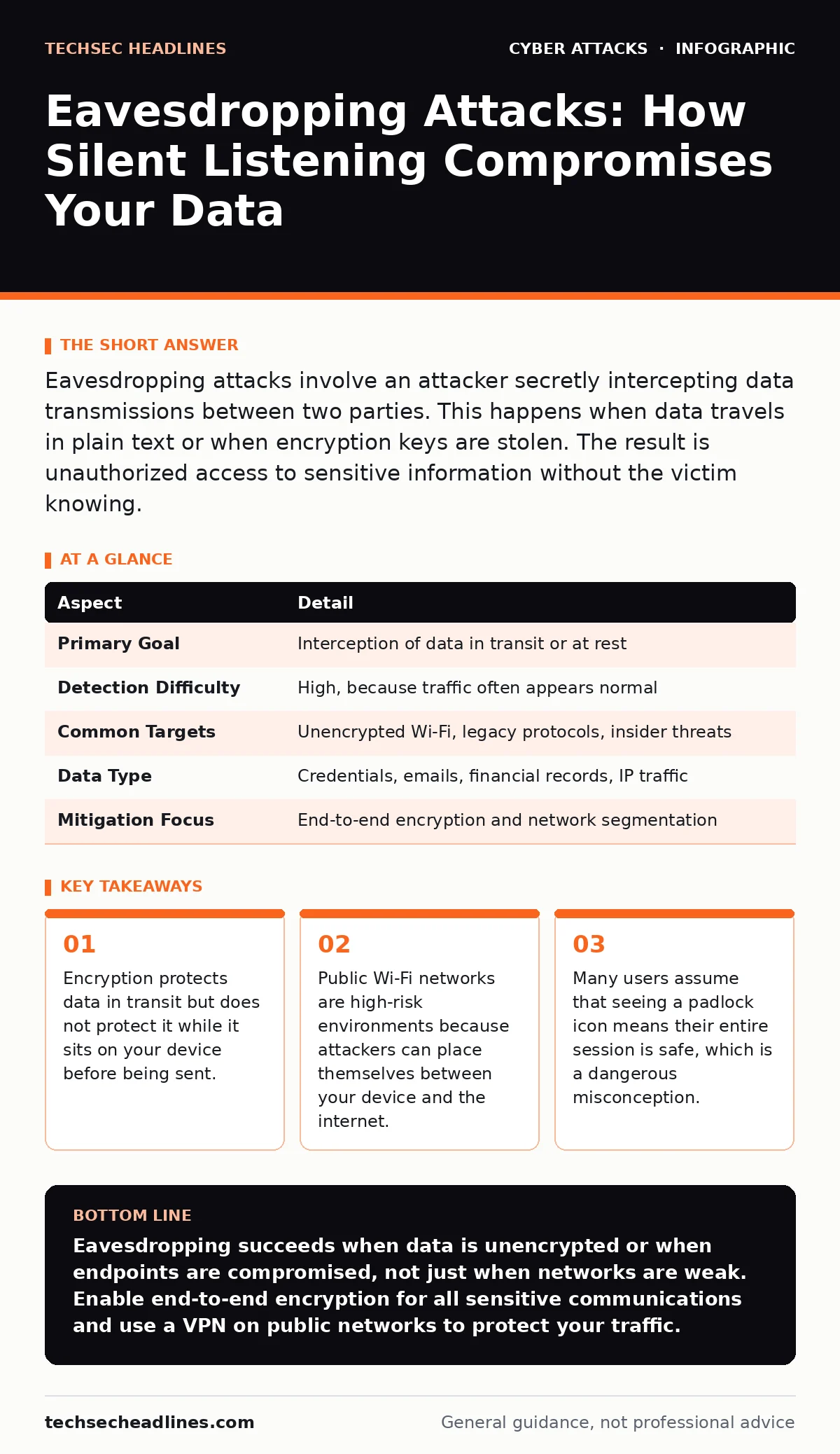
Eavesdropping attacks involve an attacker secretly intercepting data transmissions between two parties. This happens when data travels in plain text or when encryption keys are stolen. The result is unauthorized access to sensitive information without the victim knowing.
The Quiet Thief at the Dinner Table
Imagine you are shouting secrets to a friend across a crowded room. You think you are being discrete, but anyone standing nearby can hear every word. In the digital world, eavesdropping works the same way. An attacker listens to the traffic flowing across a network without altering it. They do not need to break into your computer directly. They simply wait for your data to pass through a point they can monitor.
This type of attack is passive. The attacker does not send you phishing emails or install malware on your drive. They sit back and record. This makes eavesdropping difficult to detect. You might complete a transaction or send a message, and everything feels normal. The theft happens in the background, often leaving no immediate trace on your system.
| Aspect | Detail |
|---|---|
| Primary Goal | Interception of data in transit or at rest |
| Detection Difficulty | High, because traffic often appears normal |
| Common Targets | Unencrypted Wi-Fi, legacy protocols, insider threats |
| Data Type | Credentials, emails, financial records, IP traffic |
| Mitigation Focus | End-to-end encryption and network segmentation |
How Interception Actually Works
For eavesdropping to succeed, the attacker needs a vantage point. This usually means being on the same network segment as you. When you connect to a public Wi-Fi hotspot, your device sends data to the local router. From there, it travels to the internet. An attacker on that same network can use tools to capture packets. A packet is a small unit of data that travels across networks.
If that data is not encrypted, the attacker can read it like a letter left on a table. Encryption scrambles the data so only the intended recipient can read it. However, encryption is not always active. Some older systems or poorly configured applications send data in plain text. This is known as cleartext transmission. Even if your browser uses secure protocols, other applications on your device might not.
The attacker does not need to know what they are looking for initially. They can capture everything and search for patterns later. This is called passive sniffing. They look for keywords like "password," "credit card," or specific file headers. Once they find a match, they extract the useful information from the captured stream.
Common Forms of Digital Listening
Not all eavesdropping looks the same. The method depends on where the attacker positions themselves and what technology they exploit. One common form is Wi-Fi sniffing. This occurs on open or weakly secured wireless networks. The attacker uses software to monitor all traffic passing through the air.
Another form involves Man-in-the-Middle attacks. Here, the attacker actively inserts themselves between you and the service you are using. They might trick your device into connecting to a fake access point that looks like the real one. Your traffic goes to them, and they forward it to the real server. They can read, modify, and record the data before passing it on. This is more complex than simple listening but yields more control.
Physical eavesdropping is also possible. Attackers can install hardware devices on network cables or use radio frequency scanners to pick up signals from unshielded cables. This is less common for casual attackers but remains a risk for high-value targets. It highlights that security is not just about software. Physical access to network infrastructure can bypass many digital defenses.
Who Is at Risk?
Eavesdropping affects anyone who sends data over a network. Students using campus Wi-Fi are frequent targets. These networks are often shared by thousands of devices, making it easy for an attacker to blend in. They do not need to target you specifically. They can cast a wide net and hope to catch something valuable.
Remote workers face similar risks. When you work from home or a hotel, you often rely on local networks that you do not control. If your company does not enforce strict encryption for all devices, your traffic is vulnerable. Corporate data can leak just as easily as personal data.
Large organizations are not immune either. Internal eavesdropping can occur if network segmentation is poor. Segmentation divides a network into smaller, isolated zones. If an attacker breaches one zone, they should not be able to see traffic in another. Without proper segmentation, an attacker who gains access to one part of the network can monitor traffic across the entire organization.
What People Usually Get Wrong
Many users believe that encryption solves everything. They see the padlock icon in their browser and assume they are safe. This is a common mistake. Encryption protects data while it travels between your device and the server. It does not protect the data before it is encrypted or after it is decrypted.
If your device is infected with malware, that malware can read your keystrokes before encryption happens. It can also capture screenshots of your screen. The encrypted tunnel protects the transmission, but the endpoints are vulnerable. This is why endpoint security matters as much as network security.
Another misconception is that private networks are safe. A corporate or school network is not inherently secure. If an attacker gains access to that network, they can eavesdrop on internal traffic. Many organizations neglect to encrypt internal communications. They assume that because the traffic never leaves the building, it is safe. This assumption fails when an attacker is already inside.
Security awareness training helps employees recognize the signs of compromised networks. However, training alone cannot stop passive eavesdropping. You need technical controls to ensure that data is encrypted at every stage. This includes using virtual private networks for remote access and enforcing encryption standards for all applications.
See also: What Is Smishing Scam: Mechanics, Traps, and Defense · How Data Center Attacks Work and What They Mean for You
Reducing the Risk of Exposure
The most effective defense is end-to-end encryption. This ensures that data is scrambled from the moment it leaves your device until it reaches the final recipient. Even if an attacker intercepts the traffic, they only see gibberish. You should verify that the services you use support this standard. Look for protocols that do not allow the service provider to read your messages either.
Using a virtual private network adds another layer of protection. A VPN creates an encrypted tunnel between your device and a remote server. All your traffic passes through this tunnel. This protects you on public Wi-Fi networks. However, a VPN does not protect you if the destination server does not use encryption. You still need to ensure that the websites and apps you use are secure.
Network segmentation limits the damage if an attacker gains access. By isolating sensitive systems, you prevent an attacker from monitoring all traffic. This requires careful planning and regular audits of your network architecture. You should also monitor for unusual traffic patterns. While passive eavesdropping is hard to detect, large volumes of captured data can sometimes trigger alerts.
The Hidden Cost of Trust
Eavesdropping attacks exploit trust. You trust the network to deliver your data safely. You trust the applications to encrypt your information. When that trust is misplaced, the consequences are severe. The hidden cost is not just the loss of data. It is the loss of privacy and the potential for identity theft.
Recovering from an eavesdropping incident is difficult. You may not know when the data was stolen. By the time you notice unusual activity, the attacker may have already sold your information. This makes prevention the only viable strategy. You must assume that any network you do not fully control is hostile.
The bottom line is that visibility is the enemy of privacy. Every time you send data, you expose it to potential interception. Minimizing this exposure requires a combination of technology and behavior. You must encrypt your data, segment your networks, and remain skeptical of open connections.
Beyond the Network
While eavesdropping focuses on data in transit, other threats target different weaknesses. For instance, supply chain attacks compromise software before it reaches you, bypassing network defenses entirely. Similarly, MFA fatigue attacks exploit user behavior rather than network flaws. Understanding these different vectors helps you build a more layered defense.
You should also consider how email filtering and secure email gateways protect against different threats. These tools scan for malicious content but do not prevent eavesdropping on email traffic itself. If your email client does not use encryption, an attacker can still read your messages even if they are clean of malware.
Domain Name System security is another critical area. If an attacker can redirect your traffic to a fake server, encryption becomes less useful. This is known as DNS spoofing. It allows an attacker to intercept your traffic by tricking your device into connecting to the wrong address. Protecting your DNS queries is a key part of preventing eavesdropping.
Key takeaways
- Encryption protects data in transit but does not protect it while it sits on your device before being sent.
- Public Wi-Fi networks are high-risk environments because attackers can place themselves between your device and the internet.
- Many users assume that seeing a padlock icon means their entire session is safe, which is a dangerous misconception.
Eavesdropping succeeds when data is unencrypted or when endpoints are compromised, not just when networks are weak. Enable end-to-end encryption for all sensitive communications and use a VPN on public networks to protect your traffic.
Frequently asked questions
Can an attacker eavesdrop on my home Wi-Fi?
Yes, if your Wi-Fi password is weak or shared, neighbors or nearby attackers can capture traffic. Ensure your router uses WPA3 or WPA2 encryption and change the default password.
Does a VPN stop all eavesdropping?
A VPN encrypts traffic between your device and the VPN server, protecting you on public networks. It does not protect you if the final destination website uses
How this guide was produced: written by the TechSec Headlines editorial team with AI assistance, checked against the public references listed below, and reviewed when the facts change. See our editorial policy or report an error.