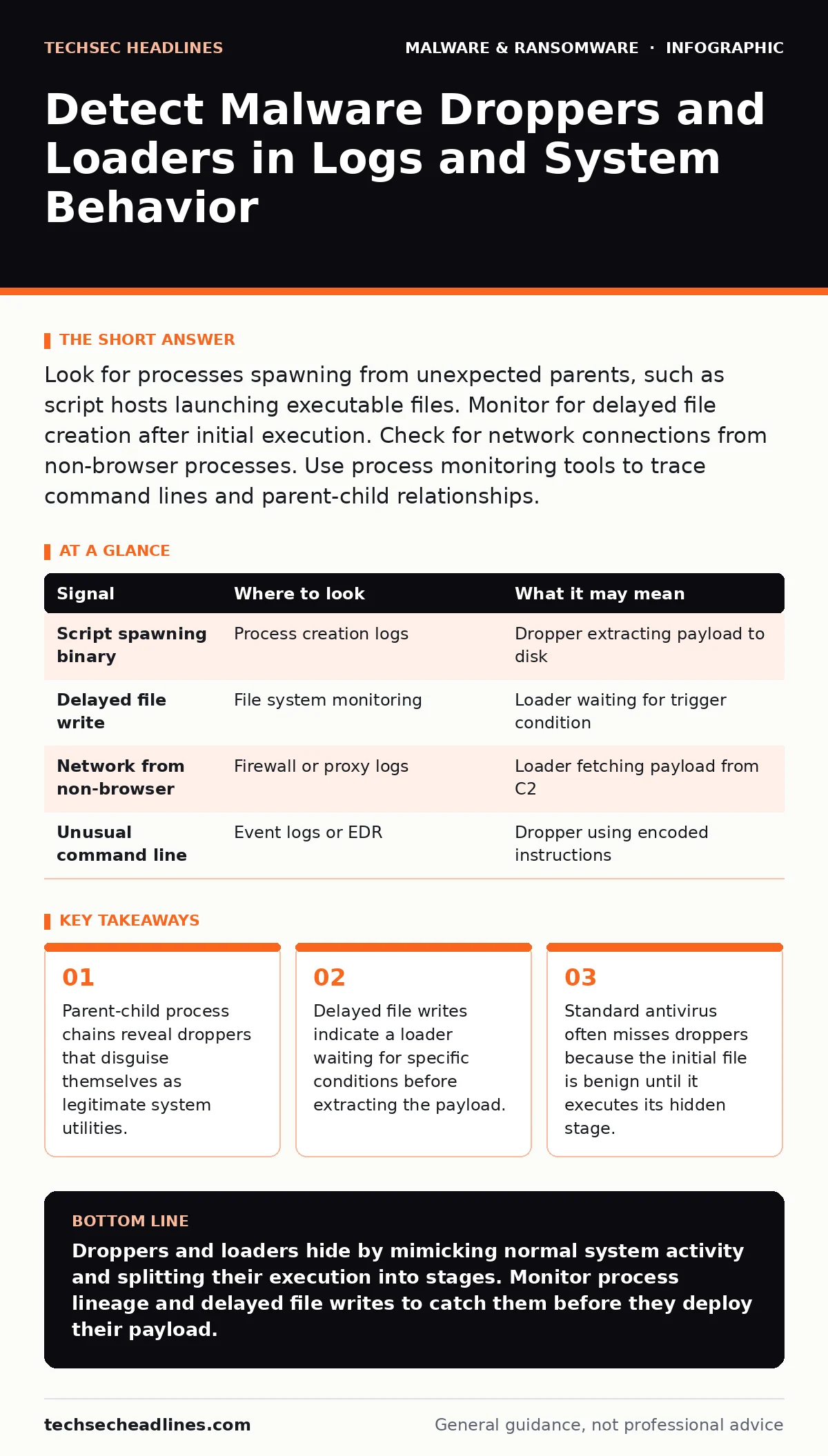
Look for processes spawning from unexpected parents, such as script hosts launching executable files. Monitor for delayed file creation after initial execution. Check for network connections from non-browser processes. Use process monitoring tools to trace command lines and parent-child relationships.
The Anatomy of a Two-Stage Attack
Malware droppers and loaders function as delivery mechanisms rather than the primary threat. A dropper places a malicious file on a system and often executes it immediately. A loader retrieves the payload from a remote server or decrypts it in memory. Both types aim to bypass initial security controls by appearing harmless at first glance. The danger lies in the separation of the delivery method from the destructive code. This separation breaks the chain of evidence that traditional security tools rely on. You must look for the behavior of the delivery agent, not just the signature of the final payload.
Process Lineage and Parent-Child Anomalies
The most reliable indicator of a dropper is an unusual process lineage. Legitimate system processes follow predictable patterns. For example, a web browser might launch a helper process, but it will not launch a script interpreter that then launches a system utility. You need to map the parent-child relationships of running processes. If a script host spawns a command shell, which then launches a binary, you have a strong signal of a staged attack. This technique, known as process hollowing or injection, allows the malware to hide within legitimate processes. Review your process creation logs for any deviation from standard execution paths.
| Signal | Where to look | What it may mean |
|---|---|---|
| Script spawning binary | Process creation logs | Dropper extracting payload to disk |
| Delayed file write | File system monitoring | Loader waiting for trigger condition |
| Network from non-browser | Firewall or proxy logs | Loader fetching payload from C2 |
| Unusual command line | Event logs or EDR | Dropper using encoded instructions |
File System Artifacts and Timing
Droppers often write files to disk in a way that differs from normal application behavior. They may create files with generic names or place them in temporary directories. The timing of these writes can be a significant clue. If a file appears seconds after a process starts, rather than during installation, it is likely a dropper. Look for files that are created, executed, and then deleted quickly. This technique, known as fileless malware or memory-only execution, leaves little forensic evidence. You must capture the file before it vanishes. Enable file integrity monitoring to detect these rapid changes.
Network Indicators and Command and Control
Loaders frequently communicate with command and control servers to retrieve their payload. This traffic often looks like standard web browsing but comes from unexpected sources. A system utility or a newly created process should not be initiating outbound HTTPS connections. Monitor for DNS queries to newly registered domains or domains with high entropy. These domains are often used for fast-flux networks to hide the true location of the payload. Look for small, periodic data transfers that do not match normal application behavior. These beaconing patterns indicate a loader checking in for instructions.
Behavioral Triggers and Environment Sensing
Advanced droppers and loaders check the environment before executing. They may verify the presence of specific hardware, the time of day, or the absence of security tools. This behavior, known as environment sensing, allows the malware to remain dormant in virtual machines or analysis sandboxes. If you see a process that hangs for a long time before taking action, it may be performing these checks. This delay gives you a window to detect and block the activity. Do not assume that a process is idle; it may be waiting for a specific trigger.
See also: Ransomware Attack Chain: The 5 Stages Explained · What is Malvertising: How Ads Infect Your Browser Without Clicks
Common Blind Spots in Detection
Many security teams miss droppers because they focus on the final payload. They wait for the ransomware or spyware to appear before investigating. By then, the dropper has already established persistence. Another blind spot is the use of legitimate tools for malicious purposes. This technique, known as living off the land, uses built-in system utilities to download and execute code. These tools are trusted by default, so their use does not trigger alarms. You must treat the use of these tools with suspicion when initiated by non-administrative processes.
Related topics include malware persistence mechanisms, which explain how droppers ensure they survive reboots. Understanding removing malware from a Windows PC is also relevant for post-detection cleanup.
Integrating Detection into Your Workflow
Detecting droppers requires a shift from signature-based to behavior-based monitoring. You must correlate data from multiple sources. Process logs, file system events, and network traffic must be analyzed together. No single data source provides the full picture. Implement a system that alerts on anomalies in this correlation. For example, a script creating a file that is then executed by a different process is a high-fidelity signal. Regularly review and update your detection rules to account for new techniques.
Practical Steps for IT Teams
Start by enabling detailed process creation logging on all endpoints. Ensure that this logging includes the full command line and parent process ID. Next, establish a baseline of normal process behavior for your environment. This baseline allows you to identify deviations more easily. Monitor for any process that spawns a child process of a different type. Finally, integrate these logs into your security information and event management system. This integration allows for real-time alerting and faster response times.
For context on how these threats enter the system, see malicious documents and USB device control. Understanding scareware tactics can also help identify social engineering vectors used to deliver droppers.
Key takeaways
- Parent-child process chains reveal droppers that disguise themselves as legitimate system utilities.
- Delayed file writes indicate a loader waiting for specific conditions before extracting the payload.
- Standard antivirus often misses droppers because the initial file is benign until it executes its hidden stage.
Droppers and loaders hide by mimicking normal system activity and splitting their execution into stages. Monitor process lineage and delayed file writes to catch them before they deploy their payload.
Frequently asked questions
How do droppers differ from standard malware?
Droppers are delivery mechanisms that place or retrieve the actual malware payload, whereas standard malware performs the malicious action directly.
Can antivirus software detect droppers?
Antivirus software may detect known droppers, but it often misses new or custom droppers that do not match existing signatures.
What is the best way to analyze a suspected dropper?
Analyze the process lineage and file system changes in a isolated environment to understand its behavior without risking the main network.
Why do droppers use legitimate system tools?
Using legitimate tools helps droppers avoid detection by security software that trusts these built-in utilities.
How this guide was produced: written by the TechSec Headlines editorial team with AI assistance, checked against the public references listed below, and reviewed when the facts change. See our editorial policy or report an error.