
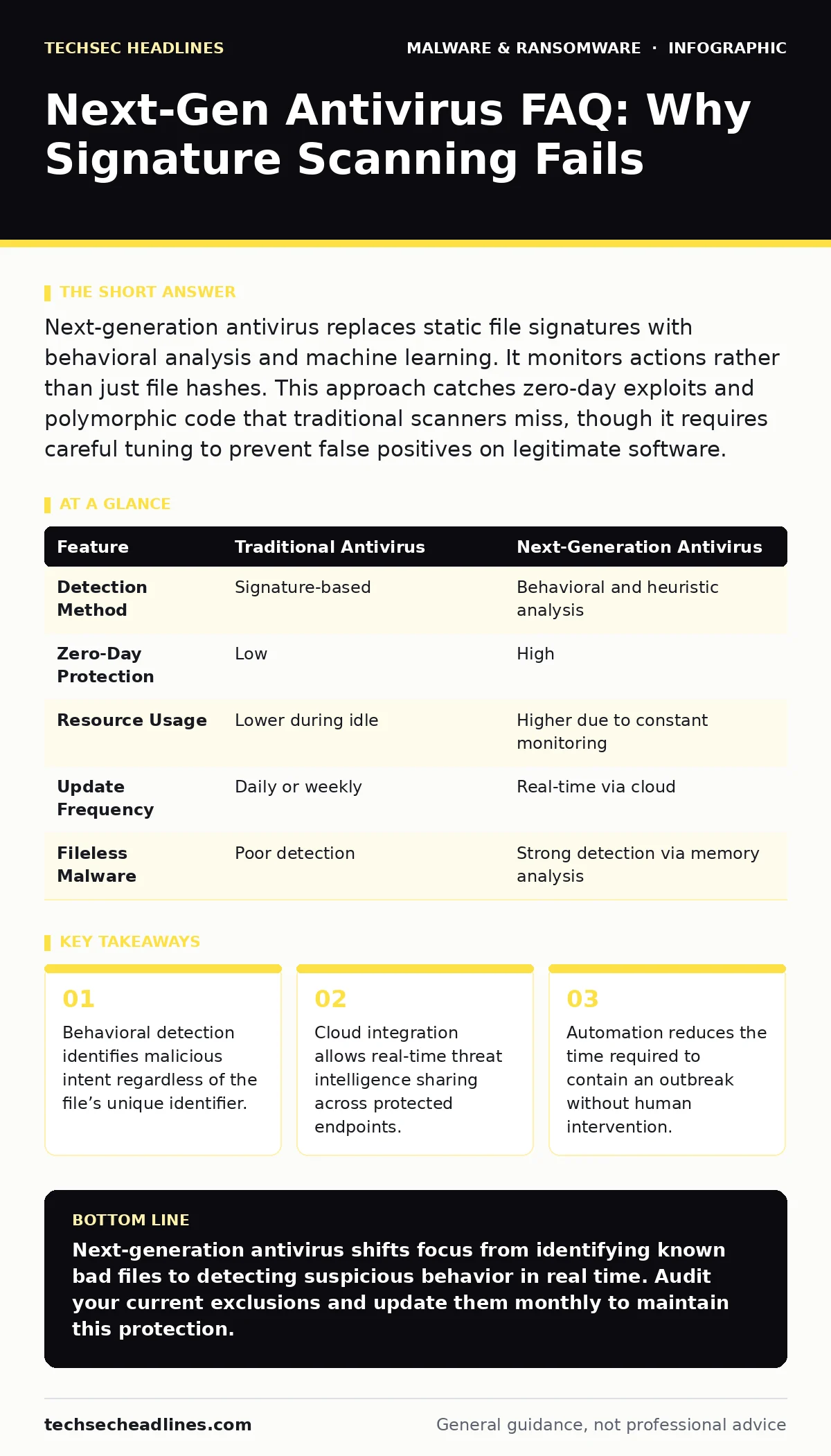
Next-generation antivirus replaces static file signatures with behavioral analysis and machine learning. It monitors actions rather than just file hashes. This approach catches zero-day exploits and polymorphic code that traditional scanners miss, though it requires careful tuning to prevent false positives on legitimate software.
Does next-gen antivirus replace traditional scanning?
No, it augments it. Traditional antivirus relies on known signatures, which are essentially digital fingerprints of previously identified malware. Next-generation antivirus, or NGAV, adds layers like behavioral analysis and heuristic scanning. It watches what a program does, not just what it looks like. This hybrid approach ensures you catch known threats quickly while also detecting new, unknown variants that lack a signature.
How does behavioral analysis actually work?
The software establishes a baseline of normal activity for your system and applications. It then monitors processes for deviations from this baseline. For example, a word processor suddenly attempting to modify system registry keys or encrypt files is flagged as suspicious. The system does not need to know the specific name of the threat. It only needs to recognize that the action violates standard operating procedures. This allows detection of zero-day attacks that have never been seen before.
Why do false positives still happen with advanced tools?
Behavioral detection is inherently probabilistic. It flags actions that look malicious, even if they are legitimate. A software update might temporarily behave like a worm by spreading files across directories. A developer compiling code might trigger alerts for memory injection techniques. These false positives occur because the tool prioritizes catching unknown threats over perfect precision. You must configure exclusion lists for trusted applications to reduce noise. Understanding the difference between a benign anomaly and a real threat is key to maintaining productivity.
Is cloud integration a security risk for my data?
Local processing keeps your data on your device, but it lacks the global context of what is happening elsewhere. Cloud-connected NGAV sends telemetry data to remote servers for analysis. This data usually consists of metadata and hashes, not the content of your files. The cloud component provides immediate access to the latest threat intelligence. If a new threat is identified globally, your local agent receives the update instantly. This speed is critical for stopping fast-moving outbreaks, but it requires trust in the vendor’s privacy practices.
Can NGAV stop ransomware before it encrypts files?
It can often stop the initial execution or the lateral movement phase. Ransomware relies on specific behaviors, such as rapid file modification or contact with command-and-control servers. NGAV detects these patterns and blocks the process before encryption begins. However, if the ransomware uses fileless techniques that operate entirely in memory, detection becomes harder. You should also review our guide on wiper malware to understand threats that destroy data rather than encrypt it, as they behave differently.
See also: PowerShell Logging: How to Catch Hidden Threats Before They Strike · Ransomware Attack Chain: The 5 Stages Explained
Does it protect against fileless malware?
Yes, this is a primary advantage of next-generation tools. Fileless malware lives in the system’s memory and uses built-in tools like PowerShell or Windows Management Instrumentation to execute commands. Since there is no malicious file on the disk, signature-based scanners miss it completely. NGAV monitors the execution flow of these legitimate tools. If PowerShell starts executing code that decrypts and runs in memory, the behavior triggers an alert. This capability is vital for defending against advanced persistent threats.
How does automation improve incident response?
Manual response is slow and prone to human error. NGAV includes automated containment features that isolate infected machines from the network. It can terminate malicious processes and quarantine suspicious files without waiting for an analyst. This rapid action limits the spread of the infection. You still need to investigate the root cause, but the immediate damage is contained. For deeper insights on how attackers maintain access after the initial breach, read about malware persistence mechanisms.
What are the performance costs of running NGAV?
Continuous monitoring consumes CPU and memory resources. Behavioral analysis requires constant comparison of activity against baselines. This overhead can slow down older machines or those with limited resources. However, modern NGAV agents are optimized to run efficiently in the background. The trade-off is between system performance and security depth. You must balance the level of scrutiny with the hardware capabilities of your endpoints. Neglecting this balance can lead to user frustration and attempts to disable the protection.
| Feature | Traditional Antivirus | Next-Generation Antivirus |
|---|---|---|
| Detection Method | Signature-based | Behavioral and heuristic analysis |
| Zero-Day Protection | Low | High |
| Resource Usage | Lower during idle | Higher due to constant monitoring |
| Update Frequency | Daily or weekly | Real-time via cloud |
| Fileless Malware | Poor detection | Strong detection via memory analysis |
Why isn't NGAV enough on its own?
No single tool stops all threats. NGAV focuses on endpoint detection and prevention. It does not secure your network perimeter or protect against social engineering. You must combine it with other defenses. For instance, users may still open malicious documents that exploit unpatched vulnerabilities. NGAV might catch the payload, but preventing the click is better. Additionally, consider USB device control policies to prevent physical insertion of compromised drives, which can bypass network filters.
How do I verify my NGAV is working correctly?
You cannot rely on the green checkmark alone. Use approved test files, such as the EICAR test string, to verify that the detection engine is active. This string is harmless but recognized by all compliant antivirus software. It confirms the software is running and scanning. For more rigorous testing, use controlled simulations of malware droppers and loaders in an isolated environment. Never test with real malware on your production systems.
Key takeaways
- Behavioral detection identifies malicious intent regardless of the file’s unique identifier.
- Cloud integration allows real-time threat intelligence sharing across protected endpoints.
- Automation reduces the time required to contain an outbreak without human intervention.
Next-generation antivirus shifts focus from identifying known bad files to detecting suspicious behavior in real time. Audit your current exclusions and update them monthly to maintain this protection.
Frequently asked questions
Can next-gen antivirus detect phishing attempts?
Most NGAV solutions focus on endpoint behavior and do not scan email inboxes. You need a separate email security gateway to filter phishing attempts before they reach the user.
How does NGAV handle encrypted traffic?
It cannot inspect the contents of encrypted traffic without decrypting it, which raises privacy concerns. It relies on metadata analysis and endpoint behavior to detect threats that arrive via encrypted channels.
How this guide was produced: written by the TechSec Headlines editorial team with AI assistance, checked against the public references listed below, and reviewed when the facts change. See our editorial policy or report an error.