
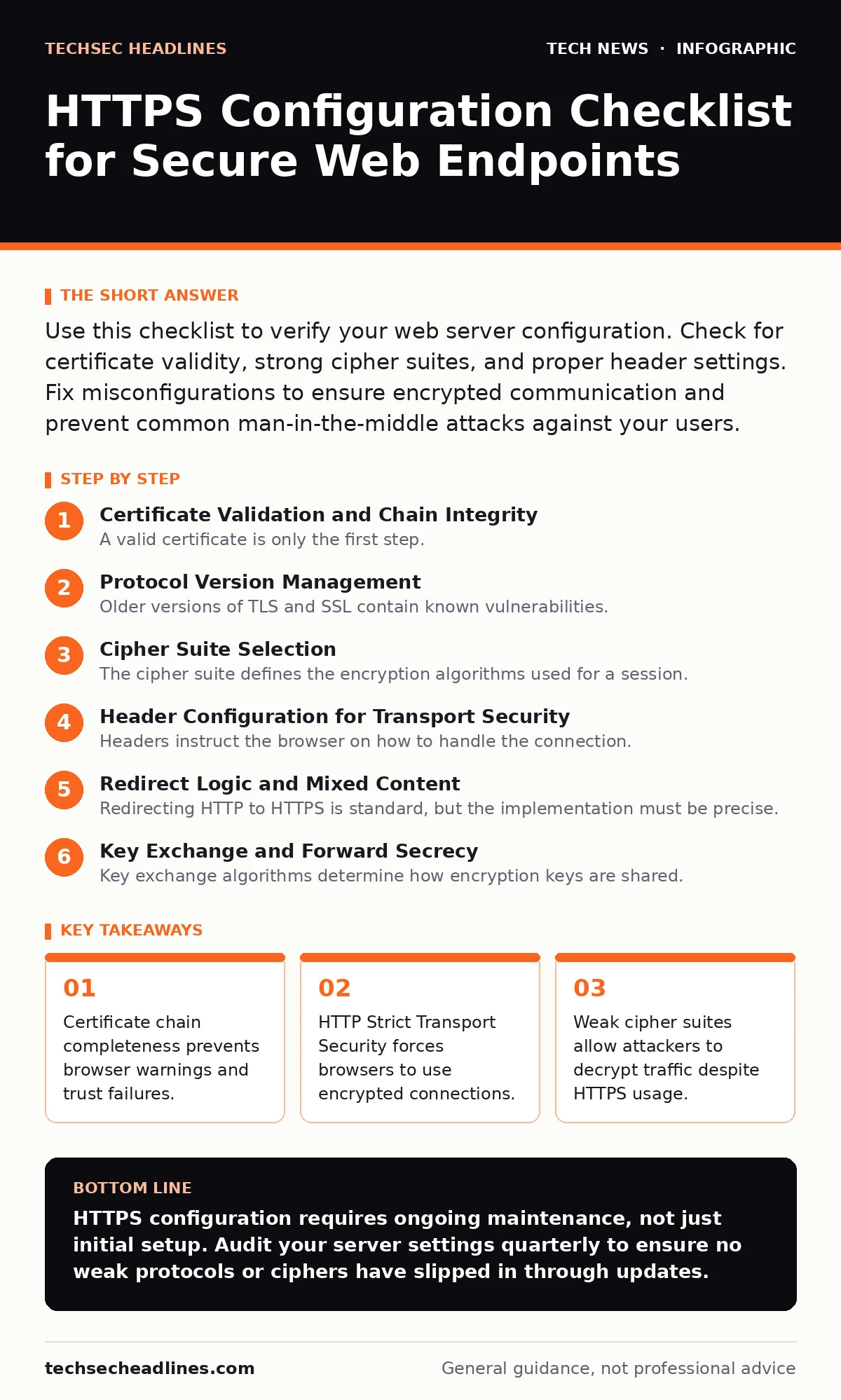
Use this checklist to verify your web server configuration. Check for certificate validity, strong cipher suites, and proper header settings. Fix misconfigurations to ensure encrypted communication and prevent common man-in-the-middle attacks against your users.
Certificate Validation and Chain Integrity
A valid certificate is only the first step. Your server must present the full chain of trust, including intermediate certificates. Browsers cannot verify a leaf certificate without the intermediates that link it to a trusted root authority. Missing intermediates cause immediate trust errors for users.
- Verify full certificate chain: Ensures browsers can validate authenticity without downloading missing intermediates.
- Check expiration dates: Prevents sudden service outages when certificates lapse.
- Match domain names exactly: Stops mismatches that trigger browser security warnings.
Protocol Version Management
Older versions of TLS and SSL contain known vulnerabilities. You must disable legacy protocols to prevent downgrade attacks. These attacks force a connection to use a weaker encryption standard that attackers can break. Modern browsers and servers support TLS 1.2 and 1.3. Anything older should be turned off completely.
- Disable SSLv3 and TLS 1.0: Removes protocols with known cryptographic weaknesses.
- Disable TLS 1.1: Eliminates a deprecated version that lacks modern security features.
- Enable TLS 1.2 and 1.3: Provides strong encryption standards accepted by all modern clients.
Cipher Suite Selection
The cipher suite defines the encryption algorithms used for a session. A weak choice undermines the entire connection, even with a valid certificate. You must prioritize authenticated encryption modes over older, vulnerable modes. Order matters; the server’s preferred order dictates which suite is chosen during the handshake.
- Prioritize AEAD ciphers: Uses authenticated encryption that protects against padding oracle attacks.
- Disable RC4 and DES: Removes broken algorithms that allow plaintext recovery.
- Enforce server cipher order: Prevents clients from negotiating weaker, less secure algorithms.
Imagine a user connects from an old device. If your server allows weak ciphers, that user gets lower security than others. You must decide whether to support legacy clients or enforce strong security for everyone.
Header Configuration for Transport Security
Headers instruct the browser on how to handle the connection. Without the right headers, users remain vulnerable to protocol downgrade attacks. The browser might accept an unencrypted connection if an attacker intercepts the initial request. Headers close this gap by telling the browser to refuse non-HTTPS connections.
- Set HSTS header: Forces browsers to only use HTTPS for future visits.
- Include preload eligibility: Allows your domain to be added to browser hard-coded lists.
- Configure Public Key Pinning carefully: Avoids locking yourself out if you rotate keys incorrectly.
Redirect Logic and Mixed Content
Redirecting HTTP to HTTPS is standard, but the implementation must be precise. A single resource loaded over HTTP breaks the secure context of the page. This is called mixed content. Browsers may block these resources or warn the user, reducing trust and functionality. You must ensure all assets load over HTTPS.
- Implement 301 redirects: Tells browsers and search engines the move is permanent.
- Scan for mixed content: Finds scripts or images loading over unencrypted HTTP.
- Update internal links: Ensures relative and absolute URLs point to secure endpoints.
See also: Website Defacement: Why It Happens and How to Stop It
Key Exchange and Forward Secrecy
Key exchange algorithms determine how encryption keys are shared. Some methods lack forward secrecy, meaning a leaked server key can decrypt past traffic. You need algorithms that generate unique session keys. This ensures that compromising the server later does not reveal historical communications.
- Enable ephemeral key exchange: Ensures each session has a unique key that is discarded after use.
- Disable static RSA key exchange: Prevents past sessions from being decrypted with the private key.
Integration with Other Security Layers
HTTPS protects data in transit, but it does not secure the endpoint or the identity resolution. You must align your web security with broader infrastructure controls. For example, if your Domain Name System records are compromised, attackers can redirect users to malicious sites with their own valid certificates. Similarly, email security relies on DNS records to verify sender identity, which HTTPS cannot fix.
- Align with DNSSEC: Prevents spoofing of DNS responses that lead to fake HTTPS sites.
- Coordinate with endpoint protection: Ensures devices can verify certificates before connecting.
See also: encryption for data at rest and Wi-Fi security for local network protection.
Key takeaways
- Certificate chain completeness prevents browser warnings and trust failures.
- HTTP Strict Transport Security forces browsers to use encrypted connections.
- Weak cipher suites allow attackers to decrypt traffic despite HTTPS usage.
- Redirect loops break functionality if HTTP-to-HTTPS rules are misconfigured.
HTTPS configuration requires ongoing maintenance, not just initial setup. Audit your server settings quarterly to ensure no weak protocols or ciphers have slipped in through updates.
Frequently asked questions
Does HTTPS protect my website from hackers?
HTTPS encrypts data between the user and your server, but it does not protect your server from application-level attacks like SQL injection or malware.
How do I fix a "Not Secure" warning in the browser?
Check for mixed content where images or scripts load over HTTP. Ensure your certificate is valid and the chain is complete.
Should I use HSTS if I have legacy users?
Only if you are certain all users can support TLS 1.2 or higher. HSTS forces HTTPS, which may break connections for very old browsers.
What is the difference between TLS 1.2 and 1.3?
TLS 1.3 is faster and removes support for weak cryptographic algorithms that are still present in TLS 1.2.
How this guide was produced: written by the TechSec Headlines editorial team with AI assistance, checked against the public references listed below, and reviewed when the facts change. See our editorial policy or report an error.