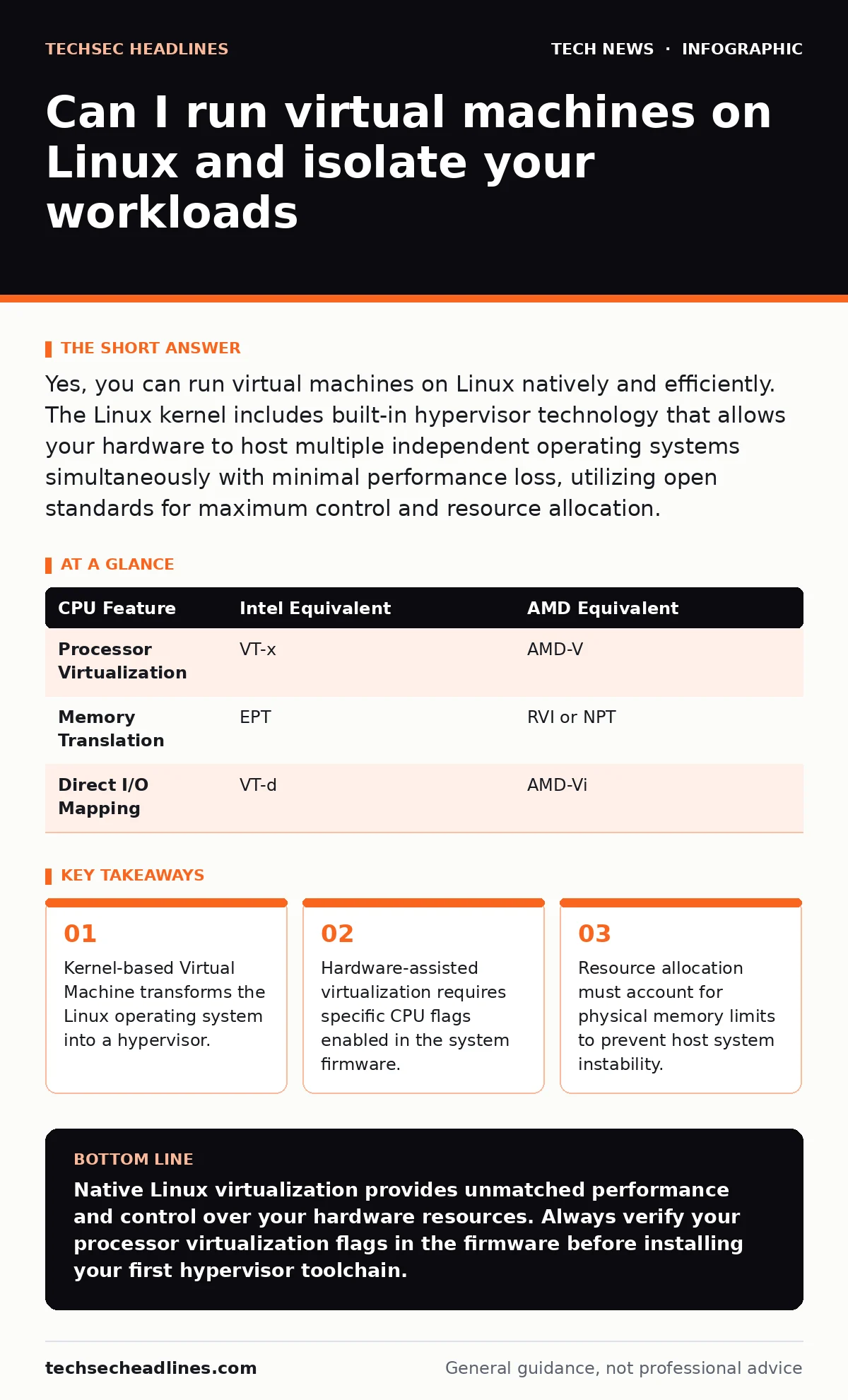
Yes, you can run virtual machines on Linux natively and efficiently. The Linux kernel includes built-in hypervisor technology that allows your hardware to host multiple independent operating systems simultaneously with minimal performance loss, utilizing open standards for maximum control and resource allocation.
Can I run virtual machines on Linux using native tools?
You can run virtual machines on Linux using the Kernel-based Virtual Machine subsystem built directly into the operating system kernel. Virtualization is the process of creating a software-based representation of a computer system. The kernel acts as a Type-1 hypervisor, which means the operating system itself manages the execution of guest operating systems without requiring a separate intermediary layer.
- Kernel modules load automatically on compatible processors to handle CPU virtualization extensions.
- Userspace tools interact with the kernel interface to create, start, and stop virtual disks and memory spaces.
- Performance remains close to bare-metal hardware because guest instructions execute directly on the processor whenever possible.
What hardware features do you need for virtualization?
You need a processor with hardware-assisted virtualization extensions to run virtual machines on Linux efficiently. Modern central processing units include dedicated instruction sets designed specifically to manage guest states and memory translation. Without these features, emulation software must translate every single processor instruction, which creates severe performance bottlenecks.
| CPU Feature | Intel Equivalent | AMD Equivalent |
|---|---|---|
| Processor Virtualization | VT-x | AMD-V |
| Memory Translation | EPT | RVI or NPT |
| Direct I/O Mapping | VT-d | AMD-Vi |
How does memory allocation work between host and guests?
Memory allocation divides your physical random access memory statically or dynamically between the host system and running virtual machines. Overcommitment is the practice of assigning more memory to virtual machines than physically exists in the host computer. While this maximizes resource utilization, it introduces significant risk when guest operating systems demand their assigned space simultaneously.
- The host kernel reserves a fixed block of physical memory for a guest during startup.
- Kernel page deduplication attempts to merge identical memory pages across different virtual machines to save space.
- Swapping occurs if physical memory runs out, which drastically slows down both host and guest operations.
Why do guest networks behave differently than physical networks?
Guest networks behave differently because virtual machines rely on software-defined switching and network address translation to communicate with the outside world. Bridge networking attaches the virtual machine directly to your physical network interface, making the guest appear as an independent device on your local network. NAT networking routes guest traffic through the host machine, hiding the virtual machine behind the host's IP address and isolating it from incoming external connections.
- Firewall rules on the host can restrict traffic entering or leaving specific virtual interfaces.
- MAC address spoofing protections in the hypervisor prevent unauthorized frame injection.
- Packet inspection tools running on the host can monitor all traffic traversing virtual switches.
How do you manage storage for virtual disks?
You manage storage for virtual machines by creating disk image files or dedicating entire physical block devices to individual guests. Thin provisioning allocates disk space to a virtual machine only as data is actually written, rather than reserving the maximum capacity immediately. This saves physical storage space initially, but it can lead to silent data corruption or system crashes if the underlying physical pool fills up completely.
- Raw disk images offer maximum read and write performance by bypassing filesystem overhead.
- QCOW2 format supports advanced features like snapshotting, compression, and encryption.
- Disk input-output throttling prevents a single misbehaving guest from saturating storage controller bandwidth.
Can virtual machines share hardware devices directly?
Virtual machines can share hardware devices directly using PCI passthrough, which grants a guest operating system exclusive control over a physical PCIe device. This technique bypasses the hypervisor layer entirely, allowing a virtual machine to utilize dedicated graphics processing units or network cards with near-native performance.
- The host system completely loses access to the passed-through device while the guest is running.
- Input Output Memory Management Units must be enabled in the firmware to map device memory safely.
- Device hot-plugging remains difficult and often requires precise configuration to avoid kernel faults.
What are the security boundaries of a virtual machine?
The security boundaries of a virtual machine isolate the guest operating system from the host, but escape vulnerabilities can still compromise the physical hardware. A hypervisor escape is a rare software flaw that allows malicious code running inside a guest to break out of its virtual container and execute commands on the host operating system. Keeping your hypervisor components updated is just as critical as patching end-of-life hardware.
- Attack surfaces expand when unnecessary virtual hardware like audio controllers or USB pass-through is enabled.
- Shared folders between host and guest create potential pathways for privilege escalation.
- Resource contention attacks can allow a noisy neighbor guest to infer data from another guest sharing the same cache.
Key takeaways
- Kernel-based Virtual Machine transforms the Linux operating system into a hypervisor.
- Hardware-assisted virtualization requires specific CPU flags enabled in the system firmware.
- Resource allocation must account for physical memory limits to prevent host system instability.
Native Linux virtualization provides unmatched performance and control over your hardware resources. Always verify your processor virtualization flags in the firmware before installing your first hypervisor toolchain.
Frequently asked questions
Can I run Windows virtual machines on a Linux host?
Yes, you can run Windows virtual machines on Linux by allocating virtual CPU cores, memory, and a storage disk through your hypervisor. Performance remains high thanks to hardware-assisted virtualization extensions.
How do I access a virtual machine without a graphical interface?
You can access a headless virtual machine using text-based serial consoles, Secure Shell connections over the virtual network, or remote management daemons.
Do virtual machines slow down my Linux host when they are turned off?
No, virtual machines consume zero CPU and memory resources on your Linux host when they are completely powered down, though their disk image files still occupy storage space.
Can I take backups of a running virtual machine?
Yes, you can create live snapshots of a running virtual machine to capture its exact memory and disk state at a specific moment in time.
How this guide was produced: written by the TechSec Headlines editorial team with AI assistance, checked against the public references listed below, and reviewed when the facts change. See our editorial policy or report an error.