
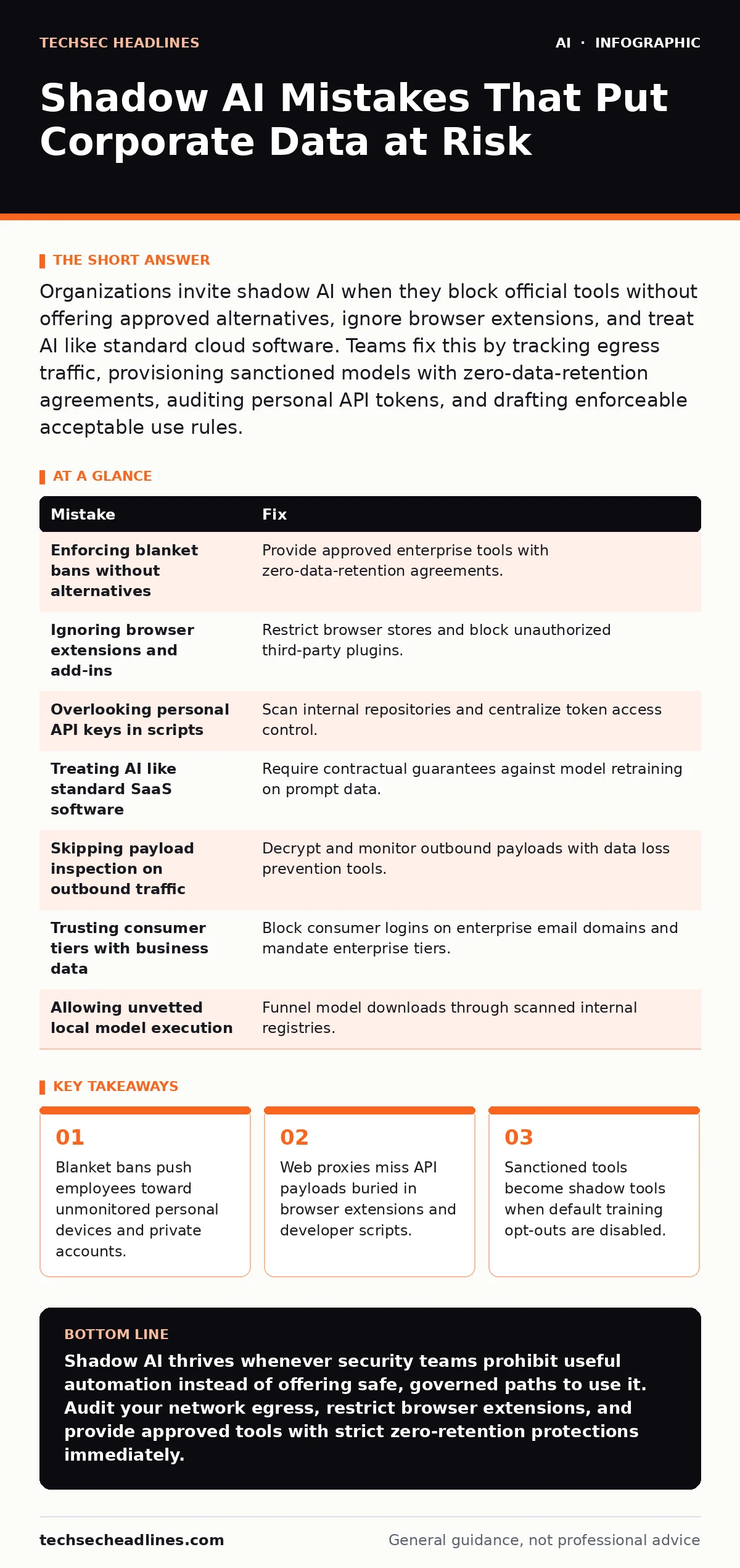
Organizations invite shadow AI when they block official tools without offering approved alternatives, ignore browser extensions, and treat AI like standard cloud software. Teams fix this by tracking egress traffic, provisioning sanctioned models with zero-data-retention agreements, auditing personal API tokens, and drafting enforceable acceptable use rules.
Mistake 1: Enforcing Blanket Bans Without Providing Sanctioned Alternatives
Outright bans on machine learning tools always fail because workers seek efficiency over compliance. When security teams block popular public interfaces at the boundary firewall without deploying an enterprise alternative, employees do not stop using machine learning. Workers bypass perimeter controls by routing sensitive source code and customer records through personal smartphones, home laptops, or unmonitored cellular hotspots.
Why it hurts:
Data loss prevention systems lose all visibility the moment work leaves managed hardware. Banned usage does not show up in proxy logs, leaving security analysts blind to unauthorized data distribution until leaked credentials or proprietary algorithms appear in public training sets. A heavy-handed ban simply converts a measurable internal network event into an unmonitored external exposure.
The fix:
Deploy an enterprise-licensed workspace that enforces zero data retention (a contractual guarantee that the vendor will not store or train models on submitted prompts). Pair this deployment with clear corporate standards supported by responsible AI practices. Provide a documented intake path where staff request new use cases instead of hunting for unauthorized workarounds.
Mistake 2: Ignoring Browser Extensions and Office Add-ins
Security teams often monitor top-level domains for web interfaces while overlooking productivity add-ons installed directly into web browsers and document editors. An add-in operates within the authenticated context of a user session, which gives the underlying code full access to read, parse, and transmit screen contents, draft emails, and clipboard text.
Why it hurts:
Third-party extensions regularly transmit highlighted text across encrypted connections directly to external model providers. Because these outbound connections merge with standard HTTPS web browsing traffic, generic firewall filters let them pass without inspection. An employee might paste a customer spreadsheet into an unapproved grammar assistant, silently handing sensitive records to an unknown infrastructure provider.
The fix:
Establish centralized application controls across your browser fleet and productivity suites. Implement technical controls that disable unvetted third-party plugins by default. Run automated software inventories to identify existing extensions, and route all model-assisted editing requests through internally vetted platforms governed by AI governance frameworks.
Mistake 3: Overlooking Hardcoded Personal API Keys in Development
Software developers frequently prototype internal automation using personal accounts and hardcoded API keys (unique secret tokens used to authenticate programmatic requests to remote services). A developer pastes a personal API token into a test script to summarize server logs, test continuous integration routines, or analyze proprietary source repositories without waiting for formal security architecture reviews.
Why it hurts:
Personal keys bypass central auditing systems and enterprise legal agreements. Code containing these keys often lands inside shared internal repositories or public code-hosting platforms. If that script runs unattended, it pipes internal data straight to external platforms that may log full prompt histories indefinitely, exposing infrastructure details to external model operators.
The fix:
Implement automated secret scanners across all source code repositories and deployment pipelines to catch exposed access credentials before commits merge. Centralize programmatic access through an enterprise key-management service with explicit egress logging. If your engineering teams run autonomous tools, review our guidance on securing AI agents to contain automated execution risks.
Mistake 4: Treating AI Vendors Like Traditional SaaS Providers
Procurement teams make severe errors when they subject generative systems to conventional software-as-a-service evaluation checklists. Traditional cloud services store records in isolated, queryable databases where administrators can view, alter, and delete data on demand. Machine learning architectures function differently: data ingested during pre-training or fine-tuning integrates into the weights (the mathematical parameters that govern model outputs) of the underlying neural network.
Why it hurts:
Deleting an account does not remove your intellectual property once an external provider digests that information into model weights. Your trade secrets, legal drafts, or internal network hostnames can resurface as generated responses to outside prompts crafted by unrelated third parties. Standard cloud service level agreements fail to address this extraction hazard.
The fix:
Update vendor intake reviews to explicitly demand contractual guarantees against using customer data for model training. Demand clear technical architecture diagrams that show where prompt caches live and how long system logs persist. Pair this review with technical assessments outlined in AI security testing to verify supplier isolation claims before signing contracts.
Mistake 5: Failing to Inspect Outbound API Payloads for Sensitive Data
Monitoring connection metadata alone will not protect modern enterprises from shadow tool adoption. Knowing that an employee established an encrypted session with an external computing endpoint reveals almost nothing about the transaction. Security teams frequently log the destination IP address and domain name while failing to inspect the outbound body text of the transmission.
Why it hurts:
Outbound payloads routinely conceal customer financial details, database passwords, and internal roadmaps. Without deep inspection, security operations centers cannot determine whether an outbound POST request contained harmless programming syntax or millions of customer records. Incident response teams remain completely unaware of exfiltration events until notified by external entities.
The fix:
Configure network proxies to perform transport layer decryption on traffic routed to external model hosting endpoints. Establish automated patterns within data loss prevention software to detect matches for credit card structures, social security numbers, and internal software keys. Enforce policies that terminate sessions whenever an unapproved payload attempts transmission.
See also: Facial Recognition Risks: Warning Signs You Miss
Mistake 6: Assuming Free Consumer Tiers Protect Corporate Data
Employees assume that setting up an account with a corporate email address automatically applies corporate safety guarantees to their workspace. Consumer-facing interfaces routinely use prompt history by default to train future system versions, explicitly stating so in consumer terms of service.
Why it hurts:
Every operational problem, internal HR dispute, or unreleased product roadmap submitted to a consumer interface can be recycled into public answers. Attackers practicing prompt manipulation can extract sensitive organizational details by carefully probing public systems. Unintentional disclosure through consumer systems violates global data handling regulations and exposes proprietary logic without any audit trail.
The fix:
Educate staff on the concrete distinction between consumer-grade web portals and enterprise-grade interfaces. Configure single sign-on services to block corporate email authentication on personal consumer platforms. Mandate that all business data processing occurs strictly within enterprise agreements where model training on customer inputs is permanently disabled.
Mistake 7: Neglecting Self-Hosted Models on Local Workstations
Engineering and research teams often download and execute open-weights models directly on local laptops to avoid network firewalls entirely. Workers pull multi-gigabyte model weights to personal or corporate workstations using local execution runtimes, assuming local execution creates zero enterprise risk.
Why it hurts:
Local runtimes pull untrusted code, third-party libraries, and serialized model files from public repositories without security scans. Serialized files can harbor arbitrary code execution vulnerabilities that compromise the host upon loading. Furthermore, unmonitored local setups rarely receive security patches, and users frequently connect these local models to unencrypted internal databases.
The fix:
Restrict local administrative execution privileges on corporate endpoints. Require that downloaded open-weights models pass through an internal artifact repository where files undergo scanning for malicious payloads before execution. Track model deployments using centralized registries rather than permitting unmanaged hardware configurations.
| Mistake | Fix |
|---|---|
| Enforcing blanket bans without alternatives | Provide approved enterprise tools with zero-data-retention agreements. |
| Ignoring browser extensions and add-ins | Restrict browser stores and block unauthorized third-party plugins. |
| Overlooking personal API keys in scripts | Scan internal repositories and centralize token access control. |
| Treating AI like standard SaaS software | Require contractual guarantees against model retraining on prompt data. |
| Skipping payload inspection on outbound traffic | Decrypt and monitor outbound payloads with data loss prevention tools. |
| Trusting consumer tiers with business data | Block consumer logins on enterprise email domains and mandate enterprise tiers. |
| Allowing unvetted local model execution | Funnel model downloads through scanned internal registries. |
Key takeaways
- Blanket bans push employees toward unmonitored personal devices and private accounts.
- Web proxies miss API payloads buried in browser extensions and developer scripts.
- Sanctioned tools become shadow tools when default training opt-outs are disabled.
Shadow AI thrives whenever security teams prohibit useful automation instead of offering safe, governed paths to use it. Audit your network egress, restrict browser extensions, and provide approved tools with strict zero-retention protections immediately.
Frequently asked questions
What is shadow AI?
Shadow AI is the unauthorized deployment or use of machine learning applications, public web interfaces, or models inside an organization without the explicit knowledge, review, or approval of the IT and security teams.
How does shadow AI differ from traditional shadow IT?
Shadow AI creates unique risks because submitted corporate data can be ingested directly into neural network weights, meaning proprietary information cannot simply be deleted by terminating a vendor account.
Can firewalls detect shadow AI use?
Standard firewalls detect connections to known external domains, but they cannot evaluate the text inside encrypted HTTPS payloads or catch activity routed through unapproved browser extensions without deep packet inspection.
What is a zero data retention policy?
A zero data retention policy is a formal commitment by an external technology vendor stating that user prompts, outputs, and intermediate data will not be logged, stored on persistent disks, or used to train future iterations of a model.
How this guide was produced: written by the TechSec Headlines editorial team with AI assistance, checked against the public references listed below, and reviewed when the facts change. See our editorial policy or report an error.