
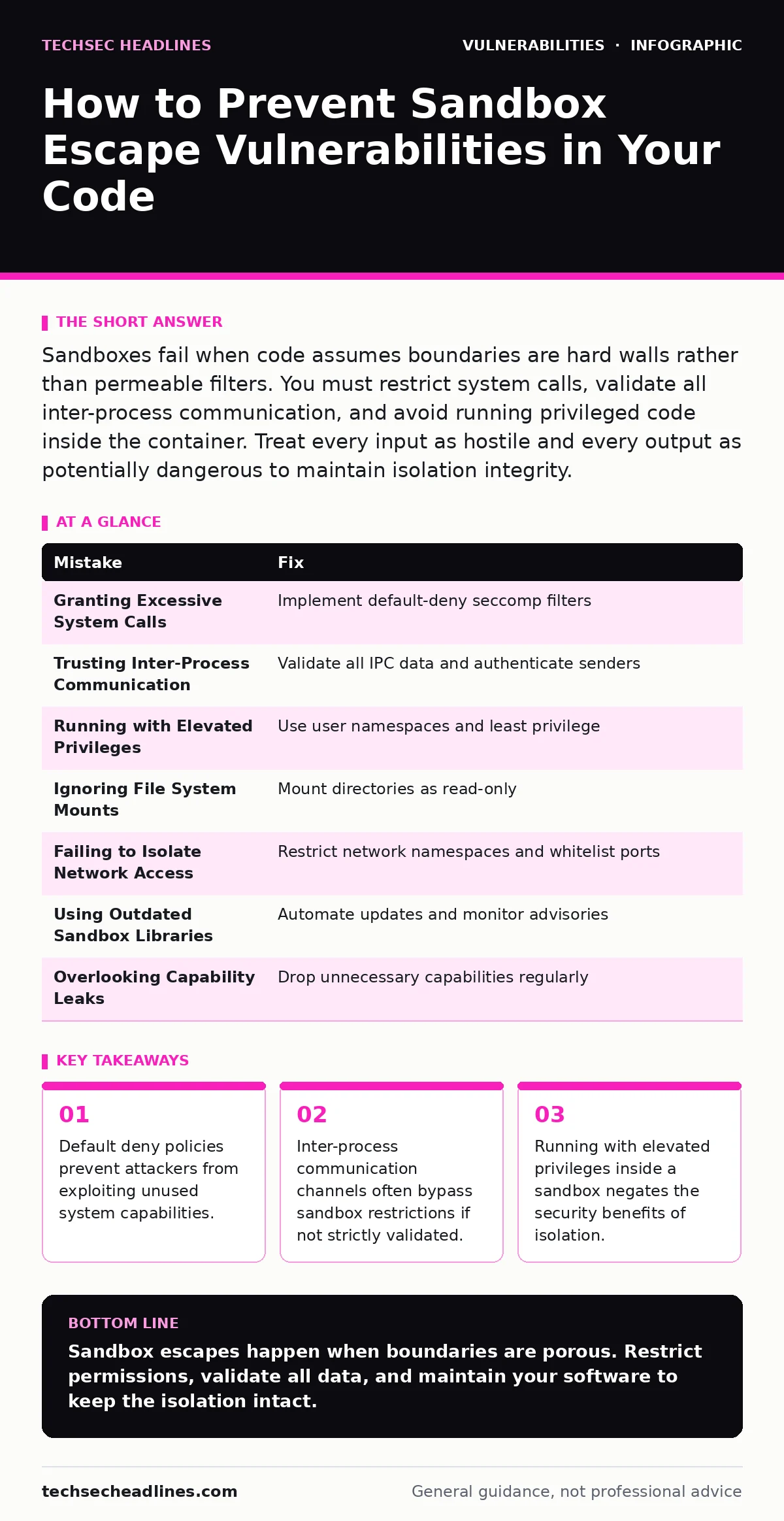
Sandboxes fail when code assumes boundaries are hard walls rather than permeable filters. You must restrict system calls, validate all inter-process communication, and avoid running privileged code inside the container. Treat every input as hostile and every output as potentially dangerous to maintain isolation integrity.
Mistake 1: Granting Excessive System Calls
Why it hurts:
Sandboxing relies on restricting which operating system functions a process can execute. When you allow too many system calls, you create multiple paths for an attacker to interact with the host kernel. A single vulnerable syscall can serve as a bridge out of the sandbox. This error is often related to security technical debt, where older configurations are left unchanged despite evolving threat models.
The fix:
Implement a default-deny policy for system calls. Use seccomp filters to whitelist only the specific functions your application needs. Regularly audit these filters to remove any calls that are no longer required. This approach minimizes the attack surface by ensuring that even if code is compromised, it cannot execute arbitrary operating system commands.
Mistake 2: Trusting Inter-Process Communication Channels
Why it hurts:
Sandboxes often communicate with the host or other services through pipes, sockets, or shared memory. If you treat this communication as trusted, an attacker who controls one side can inject malicious commands or data structures. This mechanism mirrors WebSocket vulnerabilities, where bidirectional channels are exploited to bypass initial security checks. The sandbox boundary becomes porous when data flows without strict validation.
The fix:
Validate all data entering and leaving the sandbox. Implement strict schema validation for messages passed through inter-process communication channels. Use authentication tokens to verify the identity of the sender. Never assume that data originating from within the sandbox is safe for the host, nor that host data is safe for the sandbox.
Mistake 3: Running with Elevated Privileges
Why it hurts:
Developers sometimes run sandboxed processes with root or administrator privileges to avoid permission errors. This mistake destroys the purpose of the sandbox. If an attacker escapes the sandbox, they immediately gain full control of the host system. This is similar to the risks found in broken object level authorization (BOLA), where improper privilege checks allow users to access resources they should not see.
The fix:
Run sandboxed processes with the lowest possible privileges. Use user namespaces to map root inside the sandbox to an unprivileged user on the host. Apply the principle of least privilege to all resources, including files and network ports. This ensures that even a successful escape results in limited access rather than full system compromise.
Mistake 4: Ignoring File System Mounts
Why it hurts:
Sandboxes often mount host directories to provide necessary files or configuration data. If these mounts are writable, an attacker can modify critical system files or inject malicious scripts. This exposure is comparable to WordPress plugin vulnerabilities, where file upload flaws allow direct code execution. The file system becomes a direct channel for escaping the isolation boundary.
The fix:
Mount all host directories as read-only unless writing is strictly necessary. Use tmpfs for temporary files that do not need to persist. Verify that mounted directories do not contain sensitive configuration files or credentials. Regularly review mount points to ensure they align with the application's actual requirements.
Mistake 5: Failing to Isolate Network Access
Why it hurts:
Network access allows a sandboxed process to communicate with external systems. If you do not restrict this access, an attacker can use the sandbox as a pivot point to attack other internal services. This risk is similar to input validation failures, where unchecked data allows remote code execution. The network becomes an escape route for lateral movement within your infrastructure.
The fix:
Use network namespaces or firewalls to restrict outbound and inbound connections. Whitelist only the specific IP addresses and ports the application needs. Block direct access to internal metadata services, which often contain credentials. Monitor network traffic for unusual patterns that might indicate an escape attempt.
Mistake 6: Using Outdated Sandbox Libraries
Why it hurts:
Sandboxing technologies and libraries evolve to patch known escape techniques. Using outdated versions leaves you vulnerable to exploits that have already been solved. This is akin to running end-of-life software, where security patches are no longer available. The complexity of sandbox implementations means that new vulnerabilities are discovered regularly.
The fix:
Keep all sandboxing libraries and runtime environments up to date. Subscribe to security advisories for the specific sandbox technology you use. Test updates in a staging environment before deploying them to production. Automate dependency updates to reduce the risk of human error in maintaining security patches.
Mistake 7: Overlooking Capability Leaks
Why it hurts:
Capabilities are fine-grained permissions in Unix-like systems. If a sandboxed process retains unnecessary capabilities, an attacker can use them to escalate privileges. This is similar to malicious typosquatted packages, where subtle differences in naming lead to unintended privilege grants. The accumulation of small permissions can create a significant security gap.
The fix:
Drop all capabilities that are not strictly required for the application to function. Use tools to audit and verify the capability set of your sandboxed processes. Regularly review and update the capability configuration as the application evolves. This ensures that the sandbox maintains a minimal privilege footprint.
| Mistake | Fix |
|---|---|
| Granting Excessive System Calls | Implement default-deny seccomp filters |
| Trusting Inter-Process Communication | Validate all IPC data and authenticate senders |
| Running with Elevated Privileges | Use user namespaces and least privilege |
| Ignoring File System Mounts | Mount directories as read-only |
| Failing to Isolate Network Access | Restrict network namespaces and whitelist ports |
| Using Outdated Sandbox Libraries | Automate updates and monitor advisories |
| Overlooking Capability Leaks | Drop unnecessary capabilities regularly |
Key takeaways
- Default deny policies prevent attackers from exploiting unused system capabilities.
- Inter-process communication channels often bypass sandbox restrictions if not strictly validated.
- Running with elevated privileges inside a sandbox negates the security benefits of isolation.
Sandbox escapes happen when boundaries are porous. Restrict permissions, validate all data, and maintain your software to keep the isolation intact.
Frequently asked questions
Can a sandbox prevent all types of attacks?
No, a sandbox isolates processes but cannot prevent all attacks. It mitigates the impact of a compromise but does not eliminate the risk of exploitation.
How do I know if my sandbox is secure?
Regularly audit your configuration, test for known vulnerabilities, and monitor for unusual behavior. Security is an ongoing process, not a one-time setup.
What is the difference between a sandbox and a container?
A sandbox is a generic term for an isolated environment. A container is a specific implementation of sandboxing that uses operating system-level virtualization.
Should I sandbox my development environment?
Yes, sandboxing development environments helps prevent accidental exposure of sensitive data and limits the impact of malicious code during testing.
How this guide was produced: written by the TechSec Headlines editorial team with AI assistance, checked against the public references listed below, and reviewed when the facts change. See our editorial policy or report an error.