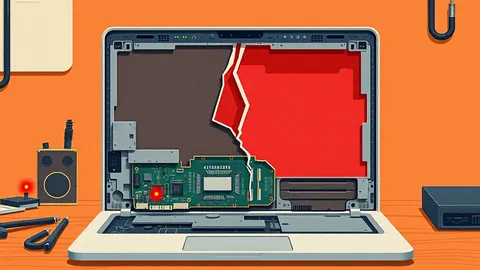
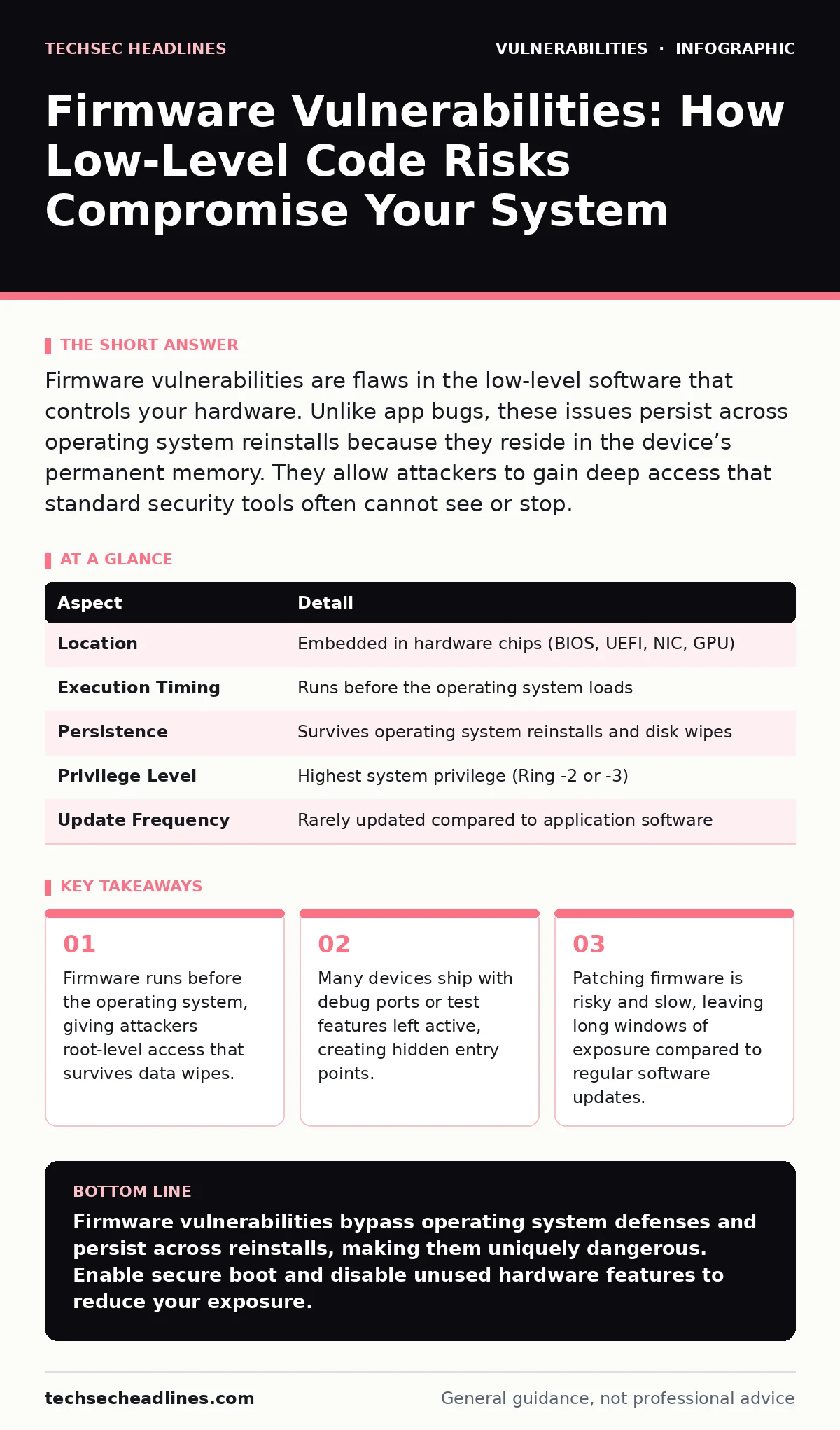
Firmware vulnerabilities are flaws in the low-level software that controls your hardware. Unlike app bugs, these issues persist across operating system reinstalls because they reside in the device’s permanent memory. They allow attackers to gain deep access that standard security tools often cannot see or stop.
The Foundation Beneath the Floorboards
Imagine a house where the blueprints and electrical wiring are stored in a basement that you never visit. You paint the walls and change the locks on the front door, but the wiring remains unchanged. If an intruder modifies that wiring, they can control the lights and locks regardless of who holds the key to the front door. Firmware works the same way. It is the low-level software embedded directly into your hardware components. It tells the hardware how to operate before your main operating system even starts.
This software lives in non-volatile memory chips on the motherboard or peripheral devices. It handles tasks like initializing hardware, managing power, and communicating with other components. Because it runs at a lower level than your operating system, it has higher privileges. When you install a new operating system or wipe your drive, the firmware remains untouched. This persistence is what makes firmware vulnerabilities so dangerous. A flaw here does not disappear when you reinstall your apps or reset your settings.
| Aspect | Detail |
|---|---|
| Location | Embedded in hardware chips (BIOS, UEFI, NIC, GPU) |
| Execution Timing | Runs before the operating system loads |
| Persistence | Survives operating system reinstalls and disk wipes |
| Privilege Level | Highest system privilege (Ring -2 or -3) |
| Update Frequency | Rarely updated compared to application software |
How Firmware Flaws Originate
Firmware development often lacks the rigorous testing processes applied to consumer software. Hardware vendors frequently prioritize time-to-market over security audits. This rush leads to common errors like buffer overflows, where data exceeds the allocated memory space, or uninitialized variables that leak sensitive information. Another frequent issue is the inclusion of debug interfaces. Engineers add these ports to test hardware during manufacturing. If they forget to disable them before shipping, attackers can use them to bypass authentication and modify the firmware directly.
Supply chain issues also play a major role. A single component manufacturer might supply firmware to dozens of device makers. If that base firmware contains a vulnerability, every device using it becomes a potential target. You cannot patch this vulnerability by updating your operating system. The flaw exists in the chip itself. This creates a hidden cost for organizations. They must track vulnerabilities not just in their software stack, but in every physical component they purchase. This complexity makes threat modeling significantly more difficult, as you must account for hardware dependencies that are often opaque.
The Scope of Impact
Firmware vulnerabilities affect nearly every device that connects to a network. This includes servers, laptops, smartphones, and even smart home appliances. The impact is severe because the attacker operates below the level of standard security controls. Antivirus software and intrusion detection systems monitor the operating system. They cannot see what happens in the firmware layer. An attacker who compromises the firmware can hide their presence effectively. They can intercept keystrokes, capture network traffic, or disable security features before the operating system even knows they are there.
This type of attack is often called a rootkit. A rootkit is malicious software designed to conceal its existence from users and security tools. When a rootkit lives in the firmware, it is extremely difficult to remove. You cannot simply delete a file. You must reflash the firmware chip, which often requires specialized hardware tools. For enterprises, this means a compromised device might need to be physically replaced. The cost is not just in downtime, but in the loss of trust in the hardware itself. You can no longer assume the device is trustworthy, even if you wipe the drive and install a fresh operating system.
Common Forms of Firmware Attacks
One common form is the UEFI bootkit. UEFI, or Unified Extensible Firmware Interface, is the modern replacement for the traditional BIOS. It handles the initial startup process. Attackers can modify the UEFI code to load a malicious payload before the operating system starts. This gives the attacker control over the boot process. Another form involves network interface cards. These chips have their own small processors and firmware. If this firmware is vulnerable, an attacker can send specially crafted network packets to execute code on the card. This code can then spread to the rest of the system.
These attacks exploit the trust relationship between hardware and software. The operating system assumes the firmware is secure. It does not verify the integrity of the firmware code. This assumption is a fundamental flaw in most modern computing architectures. It allows attackers to leverage the firmware’s high privileges to subvert the entire system.
What People Usually Get Wrong
Many people believe that reinstalling the operating system fixes all security issues. This is false for firmware vulnerabilities. A clean install only affects the storage drive. It does not touch the firmware chips. Another common mistake is assuming that air-gapping a system protects it from firmware attacks. If the firmware was compromised before the system was isolated, the attacker still has access. They can wait for a connection to occur or exfiltrate data through other means, such as power line communication or acoustic signals, if the hardware allows it.
Another misconception is that firmware updates are harmless. Firmware updates are risky operations. If the process is interrupted, the device can become bricked, meaning it will not start at all. Vendors often release updates slowly, creating long windows of exposure. Unlike automatic software updates for your web browser, firmware updates usually require manual intervention or specific enterprise management tools. This delay leaves systems vulnerable for months or even years.
Reducing the Risk
The first line of defense is hardware-based security. Look for devices that support secure boot. Secure boot is a feature that checks the digital signature of every piece of software loaded during startup. If the firmware or bootloader has been modified, the system refuses to boot. This prevents most bootkits from running. You should also enable measured boot. This records a cryptographic hash of each loaded component. You can compare this record to a known good baseline to detect tampering.
Regularly check for firmware updates from your hardware vendor. Apply them promptly, but test them in a non-production environment first. Firmware updates can cause stability issues. You should also practice defense in depth. Do not rely on a single security measure. Combine secure boot with network segmentation and strict access controls. This limits the damage if a firmware component is compromised.
For organizations, integrating static application security testing (SAST) into the firmware development process can catch errors early. However, this only helps if you write the firmware yourself. For off-the-shelf hardware, you must rely on vendor transparency and third-party audits. Consider the vulnerability lifecycle when purchasing hardware. Ask vendors about their patching policies. How quickly do they respond to critical flaws? Do they provide binary-only updates, or do they release source code for review?
The Long-Term Outlook
Firmware security is a moving target. As hardware becomes more complex, the attack surface grows. New features like remote management interfaces add convenience but also new risks. You must stay informed about emerging threats. Participate in security communities and follow industry standards. The goal is not to achieve perfect security, which is impossible. The goal is to make attacks difficult enough that attackers move on to easier targets.
By understanding how firmware works and where the risks lie, you can make better decisions about the hardware you buy and how you configure it. Remember that security starts at the lowest level of the stack. If the foundation is cracked, the rest of the house will not stand, no matter how strong the walls are.
Key takeaways
- Firmware runs before the operating system, giving attackers root-level access that survives data wipes.
- Many devices ship with debug ports or test features left active, creating hidden entry points.
- Patching firmware is risky and slow, leaving long windows of exposure compared to regular software updates.
- Hardware-based security measures like measured boot are the only reliable defense against rootkits.
Firmware vulnerabilities bypass operating system defenses and persist across reinstalls, making them uniquely dangerous. Enable secure boot and disable unused hardware features to reduce your exposure.
Frequently asked questions
Can a virus hide in the firmware?
Yes, known as a firmware rootkit. It resides in the hardware's memory and can survive operating system reinstalls, making it very difficult to detect and remove.
How do I know if my firmware is secure?
Check if your device supports secure boot and measured boot. These features verify the integrity of the startup code. You can also check the manufacturer's website for security advisories.
Is firmware the same as BIOS?
BIOS is an older type of firmware. UEFI is the modern standard. Both serve the same purpose of initializing hardware, but UEFI offers more features and better security capabilities.
Why are firmware updates so rare?
Firmware developers test extensively because a failed update can brick the device. This caution leads to slower release cycles compared to application software updates.
How this guide was produced: written by the TechSec Headlines editorial team with AI assistance, checked against the public references listed below, and reviewed when the facts change. See our editorial policy or report an error.