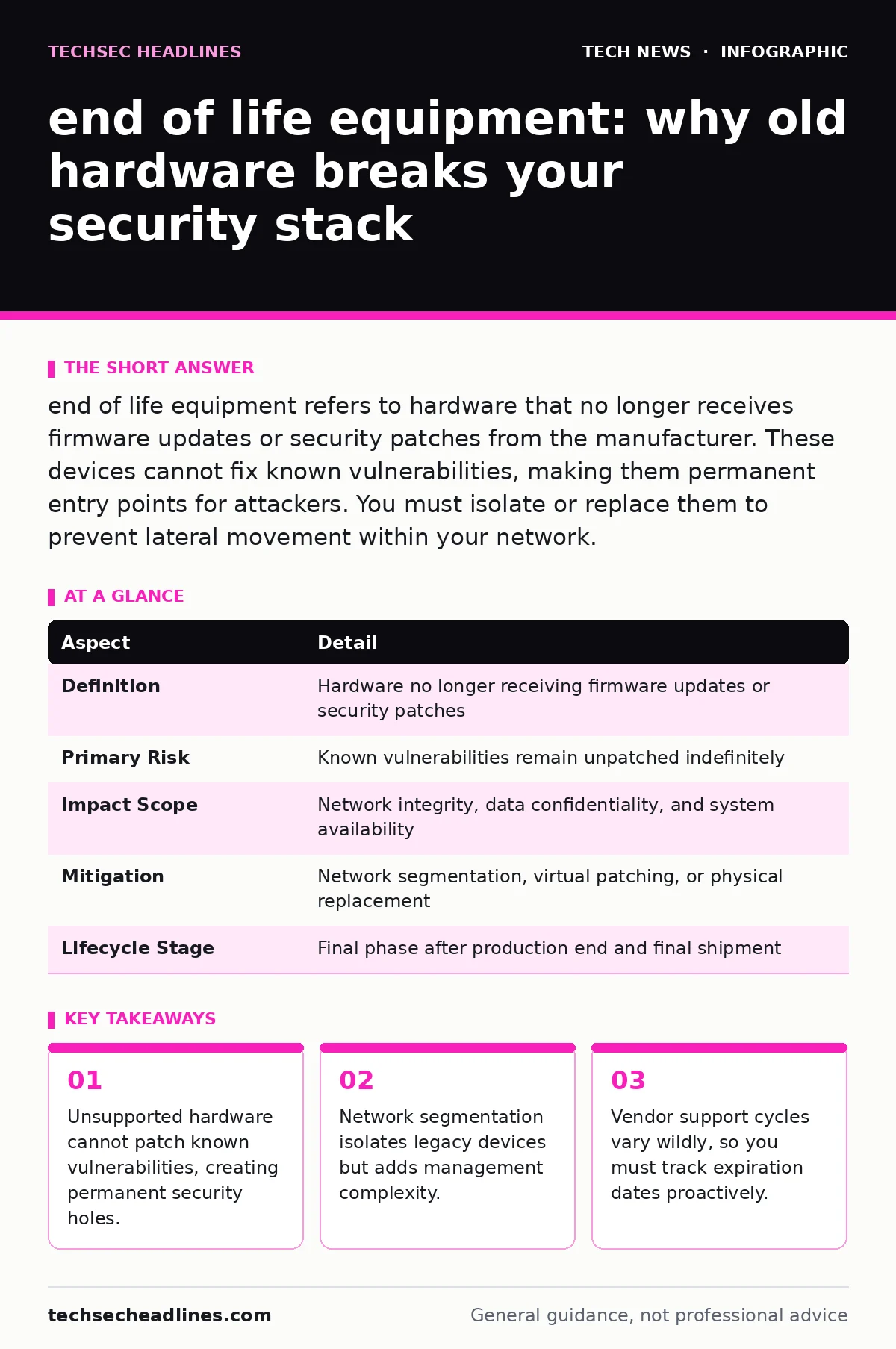
end of life equipment refers to hardware that no longer receives firmware updates or security patches from the manufacturer. These devices cannot fix known vulnerabilities, making them permanent entry points for attackers. You must isolate or replace them to prevent lateral movement within your network.
What end of life equipment actually means
end of life equipment describes physical hardware that a manufacturer has stopped supporting. This status means the device will never receive another firmware update, security patch, or technical support ticket resolution. The hardware may still function perfectly for its intended task, but its security posture is frozen in time. You are running software that is known to have flaws, and no one will ever fix them.
This is different from software end-of-life, where you can sometimes reinstall an older, supported version. Hardware flaws are often baked into the silicon or the baseboard management controller. Once the manufacturer declares the device end of life, the security window closes forever. You cannot patch a chip. You can only replace it or isolate it.
| Aspect | Detail |
|---|---|
| Definition | Hardware no longer receiving firmware updates or security patches |
| Primary Risk | Known vulnerabilities remain unpatched indefinitely |
| Impact Scope | Network integrity, data confidentiality, and system availability |
| Mitigation | Network segmentation, virtual patching, or physical replacement |
| Lifecycle Stage | Final phase after production end and final shipment |
How unsupported hardware fails you
Modern security relies on the ability to fix mistakes quickly. When a vulnerability is discovered, vendors release a patch. You apply it, and the hole closes. end of life equipment breaks this cycle. The device stays vulnerable forever. Attackers publish lists of unpatched flaws. They scan the internet for devices with those specific firmware versions. If your device matches, they get in. This is not theoretical. It is the standard attack vector for botnets and ransomware.
The device also fails modern cryptographic standards. Older hardware often lacks the processing power for strong encryption algorithms. It may still use weak protocols that modern systems reject. This causes compatibility issues and data exposure. You cannot force an old router to use a modern TLS handshake if the hardware cannot handle the math. The connection drops, or you weaken the security to make it work. Both outcomes are bad.
Who feels the pain of legacy tech
You might think end of life equipment only affects large corporations. It affects anyone who plugs a device into a network. Small businesses often keep old servers running because replacement costs are high. They accept the risk to save money. This is a false economy. One breach costs more than a new server. Home users also suffer. Old IoT devices, like smart cameras or doorbells, rarely get updates.
They become zombies in your home network. Attackers use them to scan your other devices. They pivot from the weak camera to your laptop. The pain is financial and operational. You lose data. You lose uptime. You lose trust. The person responsible for the network bears the burden. They must justify the cost of replacement. They must explain why the old device is still there. If it gets hacked, the explanation is not enough.
What to do about end of life equipment
You have three main options. Replace, isolate, or retire. Replacement is the best option. Buy new hardware that supports current standards. It costs money, but it buys you security. Isolation is the next best option. Put the old device on a separate network segment. Use a firewall to block all traffic except what is strictly necessary. This is called network segmentation. It prevents an attacker from jumping from the old device to your critical systems.
Retiring the device is the safest option. If you do not need it, throw it away. Wipe the drive first. Physical destruction is better for sensitive data. Do not just unplug it. If you keep it, label it clearly. Mark it as unsupported. This reminds everyone that it is a risk. Document the risk. Accept it formally. This protects you if something goes wrong. You showed due diligence.
The hidden cost of keeping old gear
People usually get wrong the cost of maintenance. They think old gear is free because they already paid for it. It is not free. It costs engineering time. You spend hours configuring workarounds. You write custom scripts to monitor it. You deal with compatibility issues. These hours add up. They are expensive. You also pay in risk. The longer you keep unsupported hardware, the higher the chance of a breach.
Insurance premiums may rise if you disclose the risk. Some insurers will not cover losses from known, unpatched vulnerabilities. You are paying for the privilege of being vulnerable. The hidden cost is also cognitive load. Your team has to remember that this device is different. They have to handle it with care. This creates friction. It slows down operations. It makes the network harder to manage.
See also: What Is TLS Handshake: How It Secures Your Connection
Common mistakes in handling legacy devices
The biggest mistake is assuming isolation is perfect. People put old devices on a separate network and think they are safe. They forget that misconfigurations happen. A firewall rule might be too open. An employee might plug a laptop into both networks. This bridges the gap. Attackers exploit these human errors. Another mistake is ignoring the supply chain. You might replace the old device, but the new one has its own risks. You must verify the vendor's support policy.
Some vendors have short support cycles. You might be buying end of life equipment before you even unbox it. Check the roadmap. Ask for written confirmation of support duration. Do not rely on sales promises. Get it in the contract. Another error is neglecting physical security. Old devices are often left in unlocked closets. Someone can just walk in and steal them. Or tamper with them. Physical access is total access. Lock the room. Monitor the entry.
Planning for the inevitable transition
You cannot avoid end of life equipment forever. Every device dies. You must plan for it. Create an inventory. List every device. Note the model and firmware version. Check the manufacturer's support status. Set a reminder for six months before support ends. Start budgeting for replacement. Test new hardware before you buy it. Make sure it works with your existing systems. Do not wait until the day support ends.
Vendors may stop selling the device before support ends. You might not be able to buy a replacement. Plan ahead. This is not just IT work. It is business strategy. Security is part of your operations. You must treat it like any other cost. Allocate funds. Assign responsibility. Track progress. This turns a crisis into a routine task. You maintain control. You reduce risk. You protect your organization.
Integrating security into procurement
Your buying decisions shape your security. When you buy new hardware, check the security features. Look for support for modern encryption standards. Verify that the vendor provides regular updates. Ask about the end-of-life policy. How long will they support it? What happens when they stop? Get this in writing. Compare vendors based on this, not just price. Cheap hardware is expensive if it gets hacked.
You pay for the breach. You pay for the downtime. You pay for the reputation damage. Choose quality. Choose support. Choose longevity. This is how you build a secure foundation. You do not fix security later. You build it in from the start. This applies to everything. From servers to smart plugs. Every device is a potential entry point. Treat every purchase as a security decision.
Key takeaways
- Unsupported hardware cannot patch known vulnerabilities, creating permanent security holes.
- Network segmentation isolates legacy devices but adds management complexity.
- Vendor support cycles vary wildly, so you must track expiration dates proactively.
Frequently asked questions
How long does a vendor usually support hardware?
Support cycles vary by vendor and product type. Enterprise servers often have five to seven years. Consumer IoT devices may have only two. Always check the specific product datasheet for the exact timeline.
Can I patch end of life equipment myself?
You can sometimes apply community patches or custom firmware. This is risky and unsupported. It may void warranties or break functionality. It is not a reliable long-term strategy for critical systems.
What is the difference between EOL and EOS?
EOL means the product is no longer manufactured. EOS means support has ended. A product can be EOL but still supported for a while. EOS is the critical date for security.
Should I keep old devices as backups?
Only if they are completely isolated and air-gapped. Do not connect them to the active network. Ensure they are wiped of sensitive data. Use them only for hardware compatibility testing, not for live data.
How this guide was produced: written by the TechSec Headlines editorial team with AI assistance, checked against the public references listed below, and reviewed when the facts change. See our editorial policy or report an error.