Typosquatting works when an attacker registers a package name similar to a popular library. You install the wrong name by mistake. The malicious code runs during installation or execution. You can stop this by verifying exact package names and using strict dependency pinning in your build process.
The Mechanism of Name Spoofing
Typosquatting exploits the gap between human perception and machine precision. Package registries are vast databases containing millions of software components. These registries allow anyone to publish new packages, provided the name is unique. Attackers register names that visually resemble well-known libraries. They use techniques like character substitution, transposition, or adding prefixes and suffixes. The goal is to create a name that looks correct at a glance but points to malicious code.
Package managers treat these look-alike names as valid identifiers. They do not assess the reputation of the author. They do not analyze the code content before installation. The system trusts the namespace. This trust model is efficient for distribution but dangerous for security. It shifts the burden of verification entirely to the developer. The developer must recognize the subtle difference between the legitimate package and the imposter.
Stage 1: Reconnaissance and Registration
The attacker begins by identifying high-value targets. They look for popular libraries with many dependencies. They choose names that are easy to mistype. Common strategies include swapping adjacent keys on the keyboard. They might replace "l" with "1" or "o" with "0". Some attackers register multiple variations of a popular name. They secure these names before a typo occurs. This is a race against time and luck. The attacker waits for a developer to make a mistake.
The registration process is often anonymous. The attacker uses a new account with minimal information. They publish the package immediately. The package may contain minimal code initially. It might just be a placeholder. The attacker updates it later when they know someone is watching. This stage relies on the lack of gatekeeping in public registries. Anyone can publish. There is no review process for code quality or safety.
Stage 2: The Deceptive Distribution
The malicious package is now live in the registry. It sits quietly until discovered. The attacker may promote it through search engine optimization. They might list similar keywords. They may even fork the legitimate project and point the malicious package to it. The package appears normal in the registry interface. It has a description, version numbers, and documentation. It looks like any other software component.
The distribution mechanism is the package manager itself. When you run an install command, the manager queries the registry. It finds the name you typed. It downloads the files associated with that name. The manager does not check if the name is a common typo. It does not warn you about similar names. It assumes you know what you are asking for. This assumption is the core vulnerability. The system optimizes for speed and convenience, not for safety against human error.
Stage 3: Installation and Execution
You type the command to install the dependency. You miss the subtle difference in the name. The package manager downloads the archive. It extracts the files into your project directory. If the package includes installation scripts, these scripts run automatically. This is where the damage occurs. The scripts can execute arbitrary code on your machine. They can steal environment variables. They can exfiltrate private keys. They can install additional malware.
The execution happens in your local environment. It has the same permissions as your user account. If you are running as root or administrator, the damage is worse. The code can modify system files. It can create backdoors. It can log your keystrokes. The attack is silent. You do not see obvious errors. The package appears to install successfully. You continue working, unaware that your environment is compromised. The trust you placed in the package manager is broken.
Stage 4: Persistence and Exfiltration
Once the code runs, the attacker establishes persistence. They may modify your configuration files. They may add new entries to your shell history. They may create scheduled tasks. The goal is to maintain access even if you remove the package. They also begin exfiltrating data. They send your credentials to a remote server. They harvest your source code. They map your network topology.
This stage is often invisible. The data leaves your system over standard network protocols. It blends in with normal traffic. You may not notice increased bandwidth usage. You may not see unusual outbound connections. The attacker operates in the background. They wait for you to access sensitive systems. They capture tokens and sessions. The compromise extends beyond the single package. It affects your entire workflow.
Interrupting the Attack Chain
You can stop this attack at multiple points. The first point is prevention. Use dependency scanning tools to check for known malicious packages. These tools maintain lists of bad names. They alert you before installation. The second point is verification. Always check the package name carefully. Compare it to the official documentation. Do not rely on autocomplete. The third point is restriction. Use a private registry or a proxy. These systems can block unknown or suspicious packages.
Another effective measure is threat modeling. Identify which dependencies are critical. Assume that any public package could be compromised. Isolate your build environment. Do not run install scripts with elevated privileges. Use containerization to limit the impact of execution. These steps add friction but reduce risk. They force you to verify the source. They break the assumption of trust.
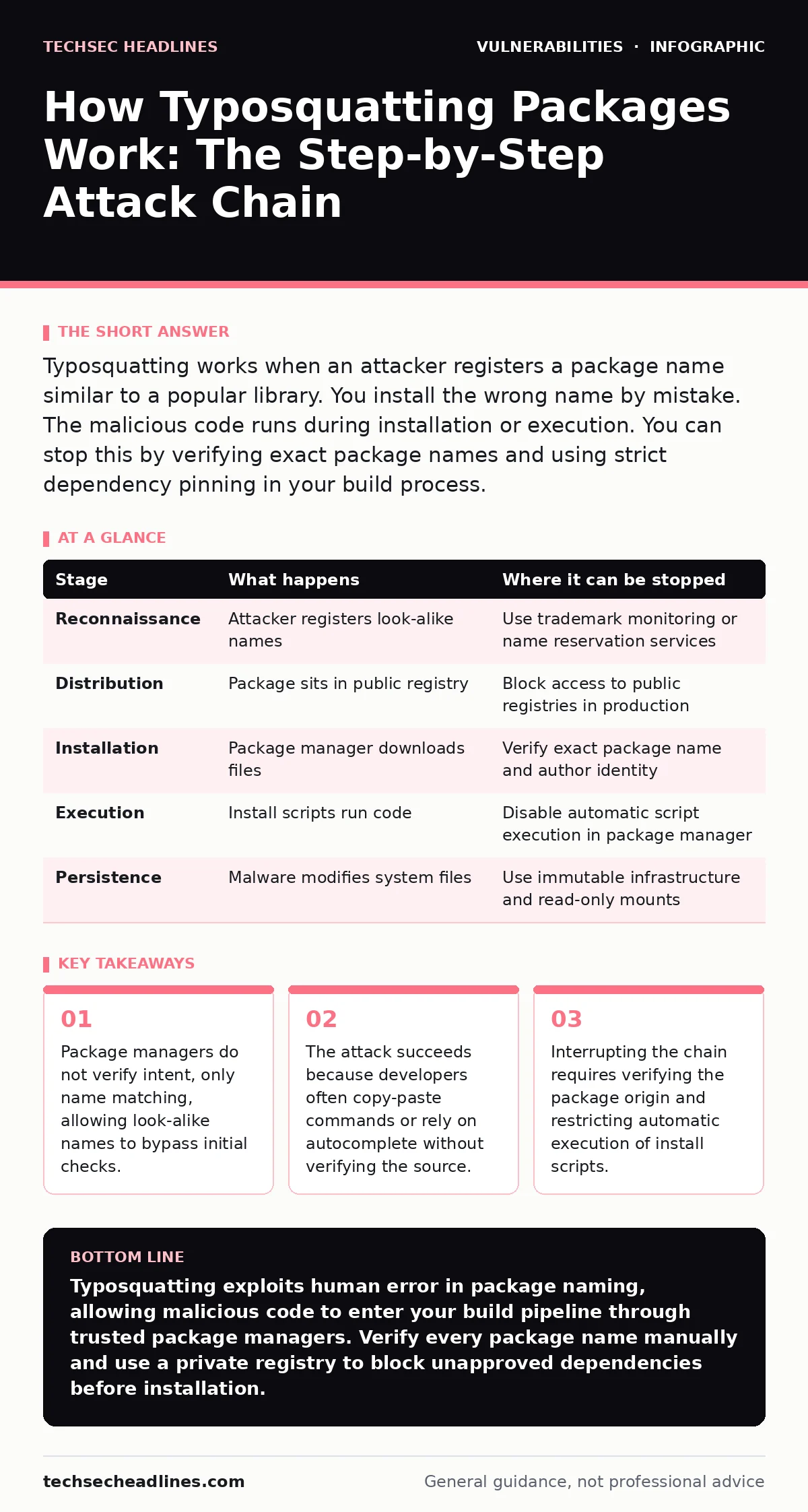
| Stage | What happens | Where it can be stopped |
|---|---|---|
| Reconnaissance | Attacker registers look-alike names | Use trademark monitoring or name reservation services |
| Distribution | Package sits in public registry | Block access to public registries in production |
| Installation | Package manager downloads files | Verify exact package name and author identity |
| Execution | Install scripts run code | Disable automatic script execution in package manager |
| Persistence | Malware modifies system files | Use immutable infrastructure and read-only mounts |
The Hidden Cost of Trust
The deeper issue is the culture of trust in open source. We assume that popular packages are safe. We assume that maintainers are honest. This assumption fails when names are spoofed. The cost is not just technical. It is psychological. You lose confidence in your tools. You spend time verifying every dependency. This slows down development. It creates friction. But it is necessary.
You must balance convenience with security. Do not accept the default behavior of package managers. Configure them to be strict. Require explicit approval for new dependencies. Use lock files to pin versions. This prevents accidental upgrades to malicious versions. It also ensures reproducibility. You know exactly what code is running. You can audit it. You can trust it.
Long-Term Mitigation Strategies
Building a secure supply chain takes effort. It requires discipline and tools. Start by auditing your current dependencies. Remove unused packages. Update the rest. Use a private registry to mirror approved packages. This gives you control over what enters your environment. You can reject malicious packages before they reach your developers.
Educate your team about the risks. Show them how typosquatting works. Demonstrate the subtle differences in names. Encourage them to question unfamiliar packages. Foster a culture of verification. Make it easy to do the right thing. Provide pre-configured environments. Provide clear documentation. Reduce the cognitive load on developers. Security should not be a burden. It should be a habit.
Key takeaways
- Package managers do not verify intent, only name matching, allowing look-alike names to bypass initial checks.
- The attack succeeds because developers often copy-paste commands or rely on autocomplete without verifying the source.
- Interrupting the chain requires verifying the package origin and restricting automatic execution of install scripts.
Typosquatting exploits human error in package naming, allowing malicious code to enter your build pipeline through trusted package managers. Verify every package name manually and use a private registry to block unapproved dependencies before installation.
Frequently asked questions
How do I know if a package is a typosquatter?
Compare the package name exactly with the official documentation. Check the author's identity and the package's creation date. Recent packages with high download counts are suspicious.
Can package managers detect typosquatting automatically?
Some managers have basic heuristics, but they are not reliable. They cannot predict every possible typo. You must rely on external scanning tools and manual verification.
Is it safe to use private registries?
Private registries are safer because you control the content. However, they can be compromised if an attacker gains access to your admin account. Use strong access controls and audit logs.
How does this relate to other vulnerabilities?
This is a supply chain attack. It is related to dependency scanning and input validation. It differs from browser extension vulnerabilities or WebSocket vulnerabilities because it targets the build process, not the runtime interface.
How this guide was produced: written by the TechSec Headlines editorial team with AI assistance, checked against the public references listed below, and reviewed when the facts change. See our editorial policy or report an error.