
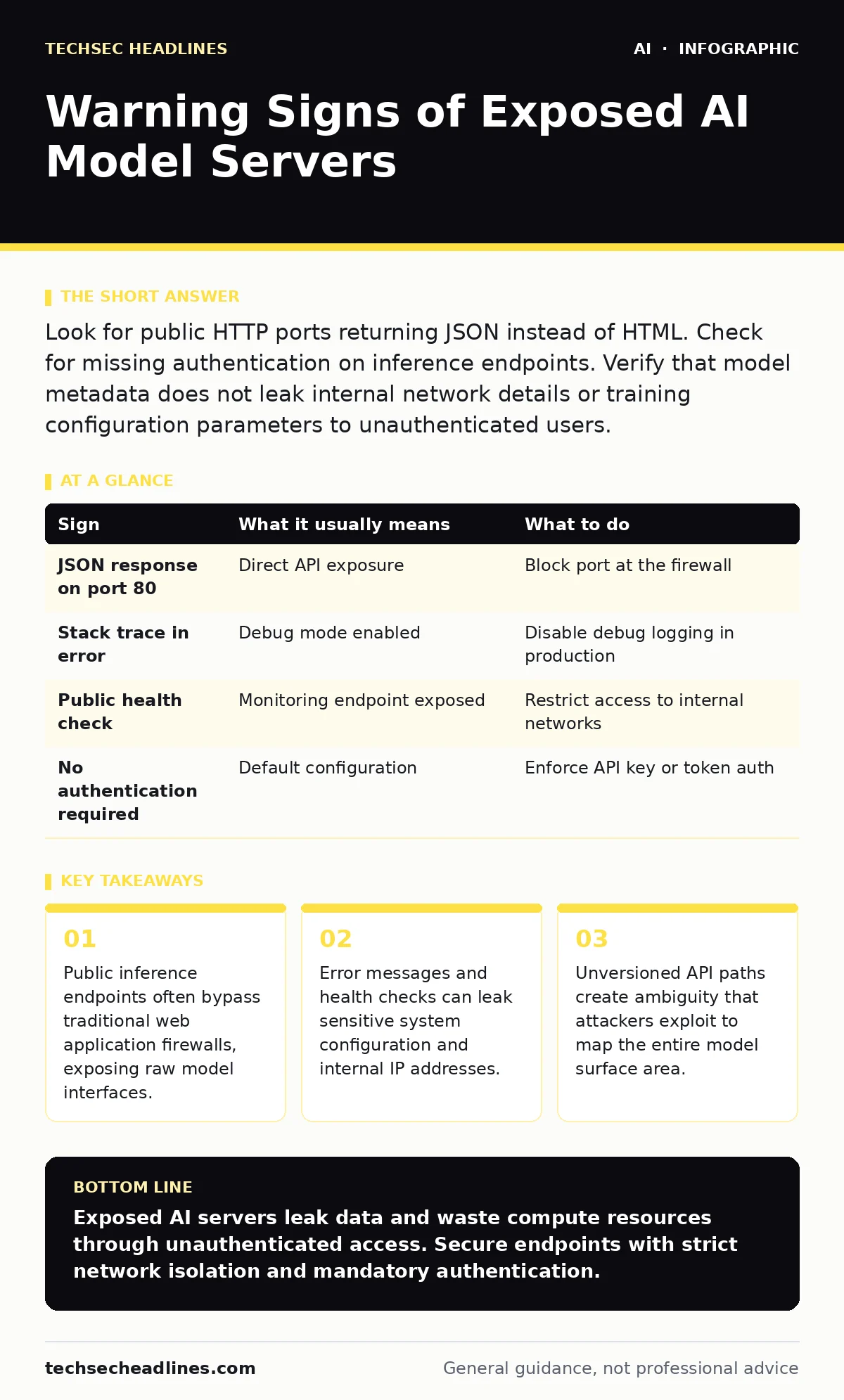
Look for public HTTP ports returning JSON instead of HTML. Check for missing authentication on inference endpoints. Verify that model metadata does not leak internal network details or training configuration parameters to unauthenticated users.
Recognizing Immediate Visual Indicators
Exposed AI model servers often present themselves through unexpected network behavior. You notice these signs first when a standard web request returns structured data instead of a webpage. An HTTP response containing JSON or XML on a public port suggests an API endpoint rather than a user-facing site.
Standard web servers return HTML documents. AI inference servers return data structures. This difference is the primary visual cue. When you query a public IP address and receive a list of available models, a prompt template, or a direct text completion, the server is likely exposed.
These endpoints rarely use standard web frameworks. They often run on specialized ports dedicated to machine learning workloads. The absence of a graphical user interface is a strong indicator. You are interacting directly with the model’s inference engine.
Detecting Subtle Configuration Leaks
Signs that are easy to miss involve the metadata surrounding the response. Attackers look for version numbers, library names, and internal hostnames embedded in headers or error traces. A stack trace in an error message reveals the underlying technology stack.
Health check endpoints are frequently overlooked. These endpoints report system status to monitoring tools. If left public, they confirm the service is running and often return detailed resource usage metrics. This information helps attackers estimate the computational power available for potential abuse.
Default authentication tokens are another hidden risk. Many open-source model servers ship with weak or disabled authentication by default. If you can query the model without credentials, the server is vulnerable. Check for the presence of an API key requirement.
| Sign | What it usually means | What to do |
|---|---|---|
| JSON response on port 80 | Direct API exposure | Block port at the firewall |
| Stack trace in error | Debug mode enabled | Disable debug logging in production |
| Public health check | Monitoring endpoint exposed | Restrict access to internal networks |
| No authentication required | Default configuration | Enforce API key or token auth |
Understanding the Attack Surface
An exposed model server is not just a data leak. It is a compute resource available to anyone on the internet. Attackers can use these servers to generate malicious content, bypass safety filters, or train adversarial examples. The cost of inference falls on the server owner.
Imagine a server running a large language model. An attacker sends thousands of complex prompts. The server processes each request, consuming significant GPU memory and electricity. This is a denial-of-service attack via resource exhaustion. The model may crash or become unresponsive to legitimate users.
The model itself can be inverted. By sending specific inputs and analyzing the outputs, attackers can reconstruct sensitive information from the training data. This is known as model inversion. It reveals that the model memorized private details rather than learning general patterns.
Securing the Inference Layer
You must treat AI endpoints like any other critical API. Implement strict access controls at the network level. Use virtual private clouds to isolate model servers from the public internet. Only expose necessary ports to trusted IP ranges.
Authentication is non-negotiable. Require API keys for every request. Rotate these keys regularly. Use short-lived tokens for internal services. This ensures that compromised credentials do not provide long-term access. See our guide on AI vendor assessments for best practices in managing third-party access.
Rate limiting prevents resource exhaustion. Set thresholds for requests per minute per user. Block IPs that exceed these limits. This protects the server from brute-force attempts and denial-of-service attacks. Monitor logs for unusual patterns in request volume.
Validating Model Integrity
Exposed servers often run outdated model versions. These versions may contain known vulnerabilities. Regularly update your model binaries and dependencies. Patching is not optional for AI infrastructure. Vulnerabilities in underlying libraries can allow remote code execution.
Input validation is critical. Sanitize all prompts before they reach the model. Strip out malicious instructions that attempt to override safety filters. This is prompt injection prevention. It ensures the model processes only intended inputs. Refer to AI security testing for methods to validate input handling.
Output filtering catches harmful content. Scan model responses for sensitive data or policy violations. Block responses that contain personal information or confidential business data. This adds a layer of protection against accidental data leakage.
Managing Operational Risks
Monitoring is essential for early detection. Set up alerts for unusual traffic patterns. Sudden spikes in request volume may indicate an attack. Unusual geographic origins of requests can also signal unauthorized access.
Logging must be comprehensive. Record every request and response. Include timestamps, IP addresses, and API keys used. This data is vital for forensic analysis after an incident. Ensure logs are stored securely and are tamper-proof.
Regular audits of access controls are necessary. Review who has permission to access the model servers. Remove unnecessary privileges. Follow the principle of least privilege. This reduces the risk of insider threats and compromised accounts. Consider AI governance frameworks to establish clear accountability.
Responding to Exposure
If you discover an exposed server, act immediately. Take the server offline to prevent further data loss or abuse. Preserve logs for investigation. Analyze the traffic to understand the extent of the exposure.
Notify affected parties if sensitive data was leaked. Follow incident response procedures. Update your security controls to prevent recurrence. Conduct a post-incident review to identify gaps in your security posture.
Implement emergency stop mechanisms for AI systems. These allow you to quickly shut down model inference in case of a critical security event. This minimizes the impact of an attack. See our guide on emergency stop for AI systems for implementation details.
Key takeaways
- Public inference endpoints often bypass traditional web application firewalls, exposing raw model interfaces.
- Error messages and health checks can leak sensitive system configuration and internal IP addresses.
- Unversioned API paths create ambiguity that attackers exploit to map the entire model surface area.
Exposed AI servers leak data and waste compute resources through unauthenticated access. Secure endpoints with strict network isolation and mandatory authentication.
Frequently asked questions
How do I know if my AI model is exposed?
Check if the model endpoint is accessible via public IP addresses without authentication. Look for JSON responses on standard web ports.
What is the biggest risk of an exposed model?
Data leakage through model inversion and resource exhaustion via denial-of-service attacks. Both compromise privacy and availability.
Can firewalls stop AI model attacks?
Firewalls block unauthorized network access but cannot filter malicious prompts. You need application-level input validation and rate limiting.
Should I use AI-assisted threat detection?
Yes, but only as a supplement to manual monitoring. AI tools can identify anomalies faster but may produce false positives that require human review.
How this guide was produced: written by the TechSec Headlines editorial team with AI assistance, checked against the public references listed below, and reviewed when the facts change. See our editorial policy or report an error.