
Small businesses lose control of customer data through embedded ad scripts. These scripts track visitors across sites, creating profiles you cannot manage. Protect your organization by auditing third-party tags, blocking unnecessary trackers, and enforcing strict data processing agreements with vendors.
The Invisible Data Pipeline
Your website is not just a display window for your services. It is a data collection point. When you install advertising networks or analytics tools, you are inviting third-party code to run in your visitors' browsers. This code executes independently of your own server logic. It sends data directly to the provider’s servers, bypassing your firewall and your security team.
You assume you control the data on your domain. You do not. The ad provider controls the transmission, storage, and usage of that information. This creates a blind spot in your security posture. You cannot audit data you never see. If the provider sells that data, you have no mechanism to stop it. This exposure increases your liability under privacy regulations.
Why Small Organisations Are Exposed
Large enterprises have dedicated legal and security teams to vet third-party vendors. Small organizations often lack these resources. You may install a script because it is free or easy to implement. You trust the vendor because they are well-known. This trust is misplaced from a security perspective.
Small businesses are attractive targets for data aggregation. Advertisers want granular data to refine their targeting. Your website provides a steady stream of user behavior data. Because you lack the infrastructure to monitor data flows, you become a conduit for mass surveillance. You are not protecting your customers; you are facilitating their profiling. This weakens your brand trust and increases regulatory risk.
The Mechanics of Cross-Site Tracking
Ad tracking relies on cookies and device fingerprinting. A cookie is a small text file stored in the user’s browser. It contains an identifier that links the user to a specific profile. Device fingerprinting creates a unique ID based on browser settings, screen resolution, and installed fonts.
These identifiers allow providers to follow users across different websites. If a user visits your site and then a news site, the ad provider connects those two visits. It builds a profile of interests, habits, and demographics. This profile is valuable to advertisers. It is a liability for you. If the profile contains sensitive inferences, such as health conditions or financial status, your exposure increases significantly.
Low-Cost Protections for Data Minimisation
You can reduce exposure without expensive software. The first step is auditing. Identify every script on your website. Remove any that are not strictly necessary for business operations. If you do not need real-time advertising revenue, do not install ad networks.
Use a content security policy. This is a browser extension mechanism that allows you to specify which domains can execute scripts. By whitelisting only trusted sources, you block unauthorized trackers. This prevents malicious scripts from injecting themselves into your pages. It also stops legitimate trackers from operating if you choose to block them.
Implement consent management properly. Do not pre-check boxes. Require explicit opt-in for non-essential cookies. This shifts the burden of consent to the user and limits your data collection to what is legally permissible. It also reduces the amount of data you hold, lowering the impact of a potential breach.
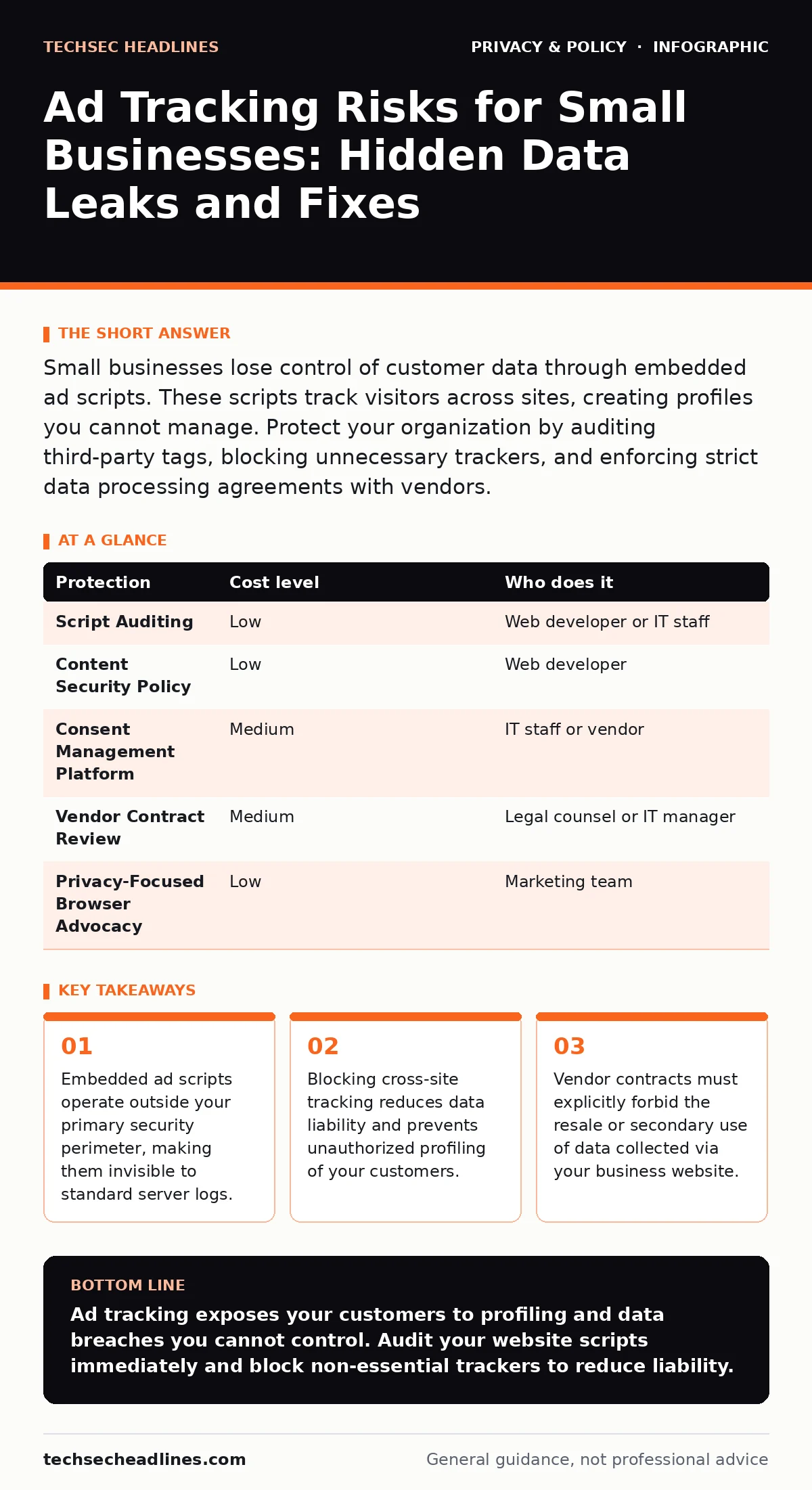
| Protection | Cost level | Who does it |
|---|---|---|
| Script Auditing | Low | Web developer or IT staff |
| Content Security Policy | Low | Web developer |
| Consent Management Platform | Medium | IT staff or vendor |
| Vendor Contract Review | Medium | Legal counsel or IT manager |
| Privacy-Focused Browser Advocacy | Low | Marketing team |
What to Ask an IT Provider
Your IT provider must understand data flow, not just network connectivity. Ask specific questions about third-party integrations. Do not accept vague answers about "industry standards." You need to know exactly where data goes and why.
- How do you audit third-party scripts for data leakage?
- What is your process for reviewing vendor data processing agreements?
- Can you implement and monitor a content security policy for our domains?
- How do you handle data subject access requests for data held by third parties?
- What is your strategy for blocking non-essential cross-site trackers?
These questions force a discussion about data governance. They reveal whether your provider thinks about privacy or just uptime. If they cannot answer these questions, they are not equipped to protect your organization from ad-tracking risks.
The Hidden Cost of Convenience
The convenience of free analytics and ad tools comes at a high price. You trade control for ease of use. This trade-off is rarely calculated. You focus on the immediate benefit of insights or revenue. You ignore the long-term risk of data exposure.
This risk compounds over time. As more trackers are added, the data profile becomes more detailed. The potential impact of a breach grows. Your organization becomes a node in a larger surveillance network. You cannot opt out of this network without actively removing the tools.
Consider the alternative. Use privacy-focused browsers for your own research to understand what data is exposed. Encourage your customers to use similar tools. This reduces the amount of data available for harvesting. It also signals that you value privacy, which can be a competitive advantage.
Building a Privacy-First Culture
Technical controls are not enough. You need a cultural shift. Every employee who touches the website must understand the risks. Marketing teams must know that every pixel tag is a data leak. Developers must know that every script is a potential vulnerability.
Train your staff on data minimisation. Teach them to ask why data is needed before collecting it. If the answer is "for advertising," question whether that aligns with your business goals. If it does not, block the tracker.
Review your vendor contracts. Ensure they include clauses that prohibit secondary use of data. Require them to delete data upon request. Make privacy a key performance indicator for your IT and marketing teams. This ensures that protection is not an afterthought, but a core part of your operations.
Key takeaways
- Embedded ad scripts operate outside your primary security perimeter, making them invisible to standard server logs.
- Blocking cross-site tracking reduces data liability and prevents unauthorized profiling of your customers.
- Vendor contracts must explicitly forbid the resale or secondary use of data collected via your business website.
Ad tracking exposes your customers to profiling and data breaches you cannot control. Audit your website scripts immediately and block non-essential trackers to reduce liability.
Frequently asked questions
Does using HTTPS stop ad tracking?
No. HTTPS encrypts the data in transit, but it does not prevent the data from being sent to the ad provider. The provider still receives and stores the information.
Can I use ad blockers on my business website?
You can block outbound tracking scripts using server-side configurations or content security policies. You cannot install browser extensions on your customers' devices.
Are first-party cookies safe from ad tracking?
First-party cookies are set by your domain, but third-party scripts can read and transmit their contents. They are not inherently safe if you allow third-party access.
How do I know if a vendor is selling my customer data?
Read their privacy policy and data processing agreement. Look for clauses about sharing with partners, affiliates, or for marketing purposes. If it is vague, assume they do.
How this guide was produced: written by the TechSec Headlines editorial team with AI assistance, checked against the public references listed below, and reviewed when the facts change. See our editorial policy or report an error.