Key points
- The Foldy app enables a dual-pane standby interface on the Samsung Galaxy Z Fold 8.
- It supports converting standard Android widgets into interactive panes for home and music controls.
- The app costs ninety cents per month or nine dollars for a lifetime premium unlock.
The short version
- The Foldy app replicates the tent mode experience found on Apple’s iPhone Duo.
- It activates automatically when the Galaxy Z Fold 8 is partially open and resting on its side.
- Users can display calendar data, time, and custom widgets in a split-screen layout.
The details
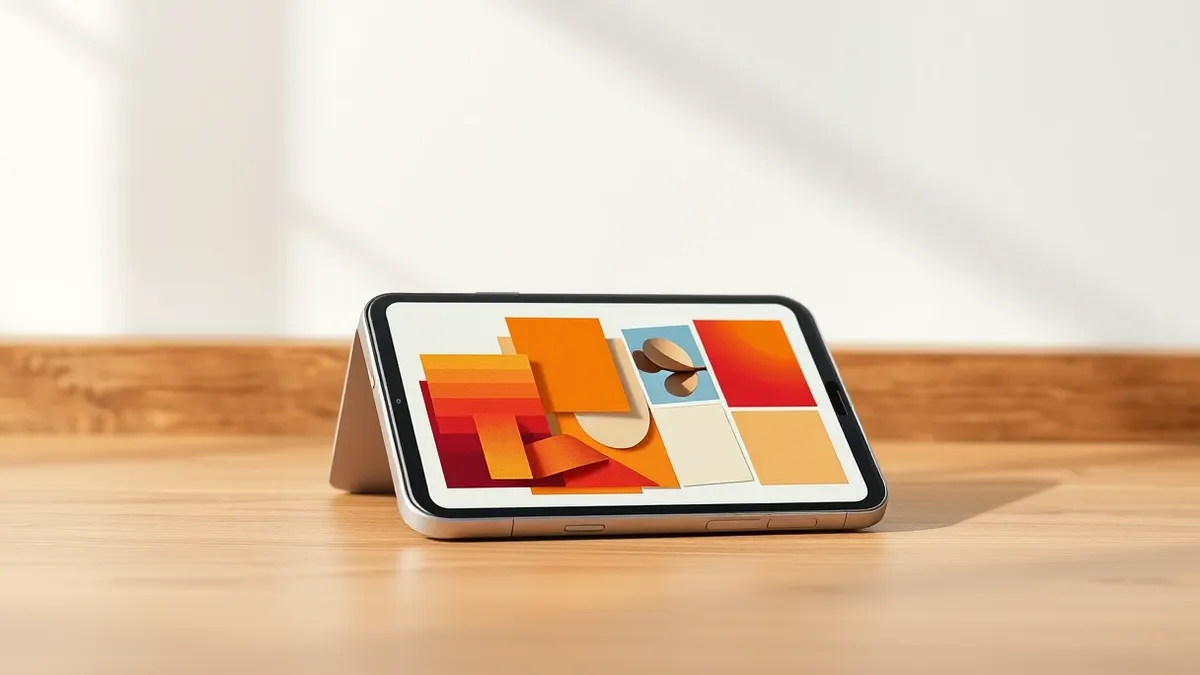
According to 9to5Google, the Foldy app provides functionality similar to the StandBy mode on the iPhone Duo. The application is free to download but requires a premium subscription for its most useful features. The premium tier costs ninety cents per month or nine dollars for a lifetime unlock. On the Samsung Galaxy Z Fold 8, the app transforms the device into a dual-pane hub when placed in tent mode.
The app recognizes when the device is partially open and resting on its side. It then activates the standby clone automatically without manual intervention. Users can display the date and time or view data from their calendar applications. The interface allows for quick access to information while the phone remains propped up on a surface.
A key feature of Foldy is the ability to convert any Android widget into a pane. This opens the door for useful functions such as Google Home controls or music app interfaces. The app trains itself to know when to activate based on the device's physical position. This automation ensures the mode triggers as soon as the conditions are right for viewing.
The context
Apple’s iPhone Duo has started reaching early customers, prompting developers to create copycat applications for Android foldables. While some Android devices have similar features, they are limited. The Motorola Razr Fold includes a tent mode as part of its always-on display, but it is not widely available across the ecosystem. Google Pixel devices offer similar functionality only while the device is charging.
Foldy addresses this gap by providing a more flexible solution for Android users. The app demonstrates how third-party developers are quickly adapting to new hardware trends. Another example mentioned is Foldman, an app that turns the Galaxy Z Fold 8 into a Walkman-style cassette player. This app includes YouTube Music integration, adding bonuses not found in comparable Duo applications.
The emergence of these apps highlights the competitive response to Apple’s entry into the foldable market. According to 9to5Google, Apple’s presence helps build out new app experiences for Android foldables. Samsung states that the Galaxy Z Fold 8 is more popular than ever due to the iPhone Duo. Analysts predict foldable display shipments will increase by 44 percent in 2026.
What to watch
- Monitor for updates to the Foldy app that may expand widget compatibility.
- Watch for new applications like Foldman that leverage foldable form factors.
- Observe how Android manufacturers integrate tent mode features natively in future updates.
- Track market shifts as foldable shipments grow according to analyst predictions.
What it means for organisations
Teams should assess how third-party applications interact with device sensors and display states. Organisations need to verify that apps requesting physical position data have clear privacy policies. IT departments should determine if such utility apps are appropriate for corporate devices. Security teams must ensure that automatic activation features do not expose sensitive information on shared screens. Users should be guided on the risks of installing apps from external sources. Management should consider whether these features aid or hinder productivity in professional settings.
What to do and how to stay safe: Foldy
- Review the permissions requested by the Foldy app before installing it on work devices.
- Check if your organisation allows third-party apps that access device orientation sensors.
- Ensure that sensitive calendar or home data is not visible when using public display modes.
- Monitor for official updates from the vendor that address any privacy concerns raised by users.
Step-by-step guide: Secure Home Routers for Small Business Networks
General security guidance from the TechSec Headlines newsroom. It is not confirmed advice from the organisations named in this story.
Frequently asked questions
Does the Foldy app work on all Android devices?
The source specifically mentions testing on the Samsung Galaxy Z Fold 8, but notes it is designed for Android foldables generally.
Is the Foldy app free to use?
The app is free to use, but requires a premium unlock for its most useful features, costing ninety cents per month or nine dollars for a lifetime.
How does Foldy compare to native Android features?
The source states that Foldy offers functionality similar to iPhone Duo’s tent mode, which is not widely used on Android outside of specific devices like the Motorola Razr Fold or Pixel when charging.